
Go to documentation repository

Documentation for Axxon PSIM 2.0. Documentation for other versions of Axxon PSIM is available too.
Previous page Next page

This menu item appears if, in addition to the object corresponding to the base computer with the Server/Remote administrator's workstation installation type, there is at least one additional Computer object of the same Server/Remote administrator's workstation type, ready to connect to the base computer via the network, but the connection isn't established for some reason.
To establish a connection between two Computer objects with the Server/Remote administrator's workstation installation type, open the context menu of the additional Computer object ready for connection via the network, and select the ReConnect menu item.
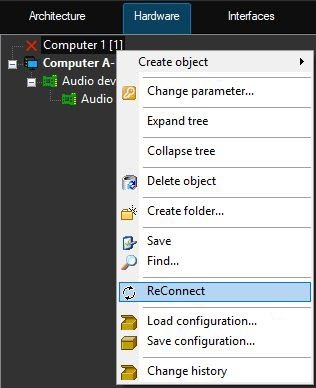
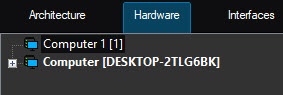
As a result, the objects of the base computer connect to the objects of the remote computer via the network.
Overview
Content Tools