
Go to documentation repository

Documentation for Axxon PSIM 2.0. Documentation for other versions of Axxon PSIM is available too.
Previous page Next page

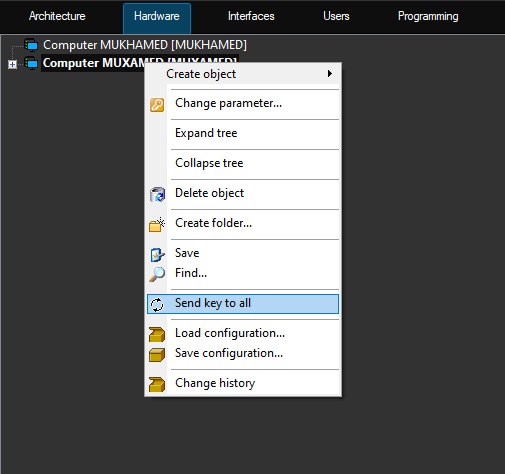
This function allows you to send the psim.sec activation key that regulates the system configuration to all computers that are part of the distributed digital video surveillance and audio control system. If you update the system functionality and receive a new activation key, you must update it on all computers that are part of the system, using the Send key to all function.
This function is available only from the context menu of the Computer object, corresponding to the given local computer that performs the administrator functions.
Note
If the updated activation key isn't sent to all computers in the system in time, then Axxon PSIM doesn't start after your first restart, because when the activation key data is read, there are discrepancies with the information contained in the database.
If you successfully apply the key on a particular computer in the distributed system, the "Key updated" message is displayed in the event viewer. However, if the key expired or the number of the objects in the key is less than the number of the objects created in the objects tree on the corresponding computer, then this information isn't displayed in the event viewer, but an error occurs the next time Axxon PSIM starts. See also Specifics of Axxon PSIM operation when hardware limit is exceeded and What should I do if I'm getting the ‘key file expired’ error when running?
If you cannot apply the activation key on any computer because of the HID codes mismatch, the message "Key rejected (HID incompliance)" is displayed in the event viewer. See also What should I do if I'm getting the ‘Key file is not corresponding cards’ error when running?
Overview
Content Tools