
Go to documentation repository
Previous page Next page
The figure shows the interface of the Captions search window.
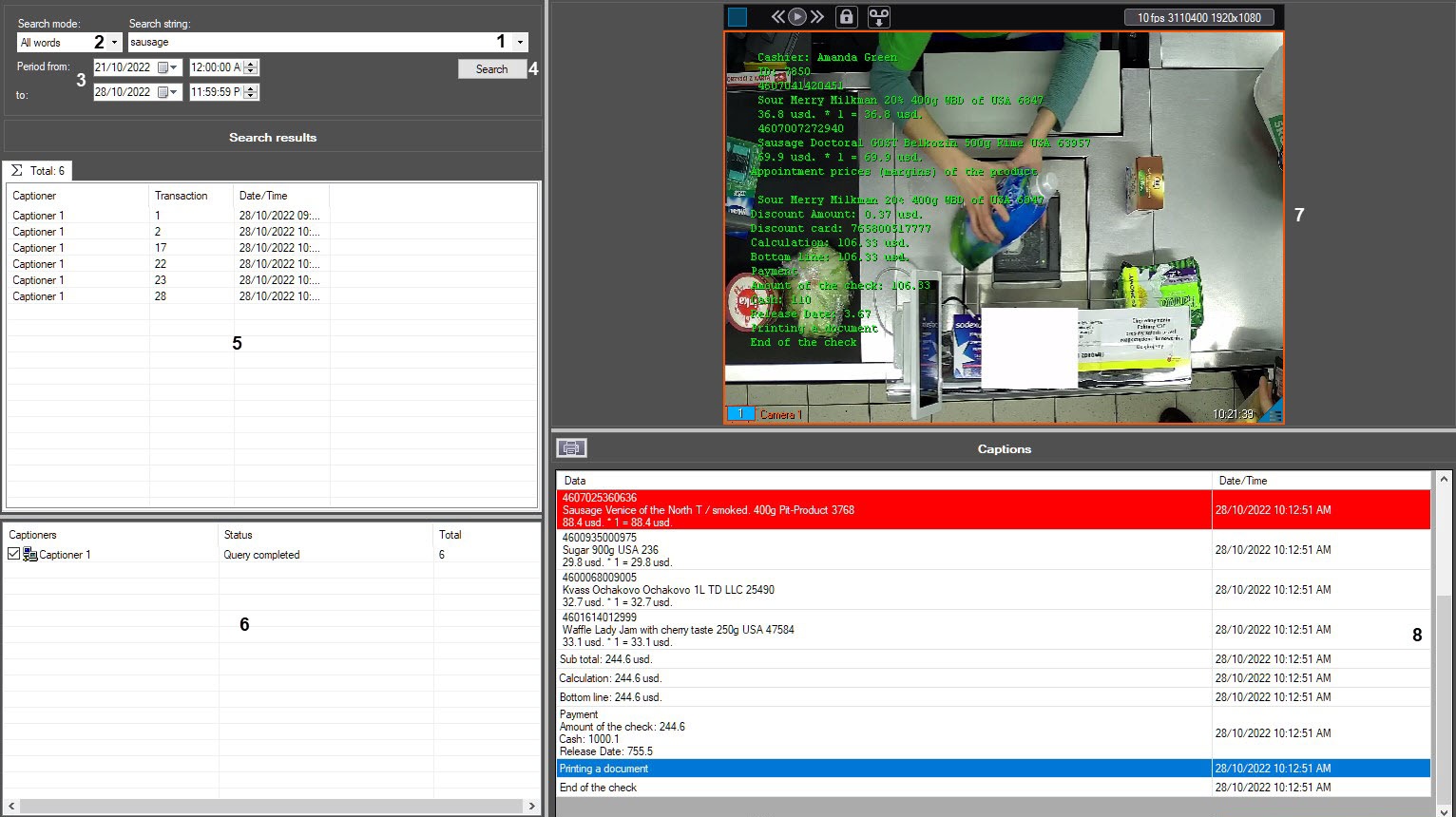
The table describes the elements of the Captions search window.
Element # | Description |
| 1 | Enter the search text |
| 2 | Select the search mode |
| 3 | Set time interval for the search |
| 4 | Start searching |
| 5 | Search results (transactions) |
| 6 | Captioner status |
| 7 | Search results (video) |
| 8 | Search results (receipt contents) |

