
Go to documentation repository
Documentation for Axxon One 3.0/3.1 version. Documentation for Axxon One 2.0 version is also available.

To display the status of the camera input, select Show input in the context menu of the Surveillance window.
Note
You must first activate an object to display the status of its input.
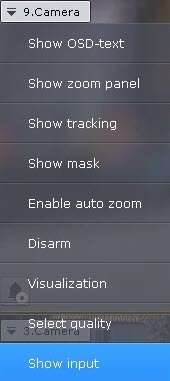
As a result, the status of the input is displayed in the Surveillance window.
Note
To hide the input status, select Hide input in the context menu of the Surveillance window.
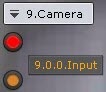
There are four possible statuses of a input.
Input status | Description |
| Camera is armed, input is in normal status |
| Camera is armed, input is in alarm status |
| Camera is disarmed, input is in normal status |
| Camera is disarmed, input is in alarm status |


Overview
Content Tools