
Go to documentation repository

Documentation for Axxon PSIM 2.0. Documentation for other versions of Axxon PSIM is available too.
Previous page Next page

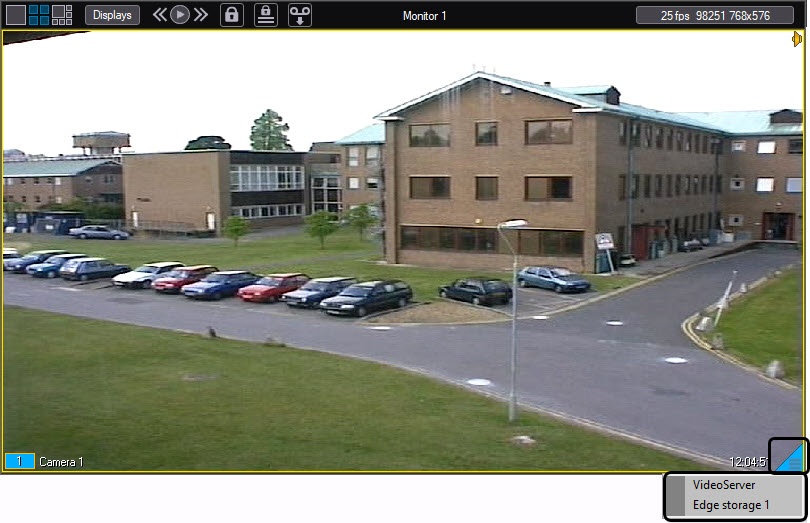
You can access the edge storage archive via the surveillance window. In order to go to the playback mode of the edge storage archive, do the following:
- Hover the mouse pointer over the
 icon in the surveillance window corresponding to the required camera.
 - Click and hold the left mouse button for a few seconds.
The context menu is displayed.
Note
When the surveillance window isn't big enough, the icon can be hidden. In this case, enlarge the surveillance window.
In the context menu, select the Edge storage item. The playback control panel is displayed. It contains the recordings of the edge storage.
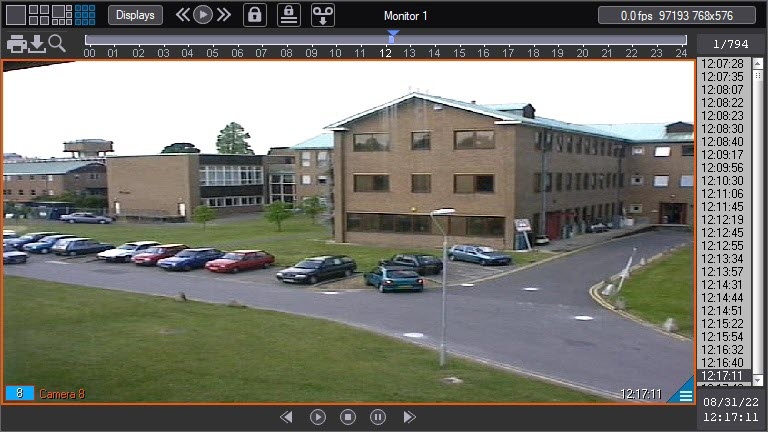
When you open the archive, the search is performed for videos from the last day. When you open the calendar, the search is performed for videos from the last month. The date range for the search is displayed at the top of the list of videos.
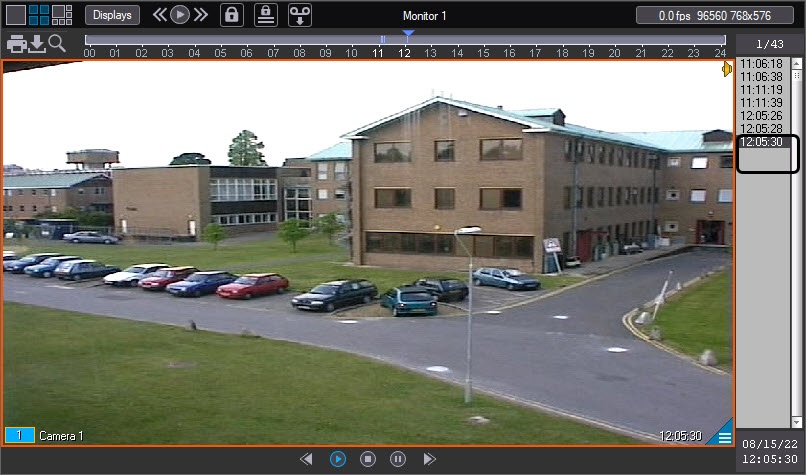
Each time you open the edge storage, playback starts over again.
Attention!
You cannot view the edge storage archive while it is being synchronized with the Axxon PSIM file system (import). Information on how to configure import from edge storages is given in Administrator's Guide.
Overview
Content Tools