To disable captions in the surveillance window:
- Select Show captions in the function menu of the surveillance window.
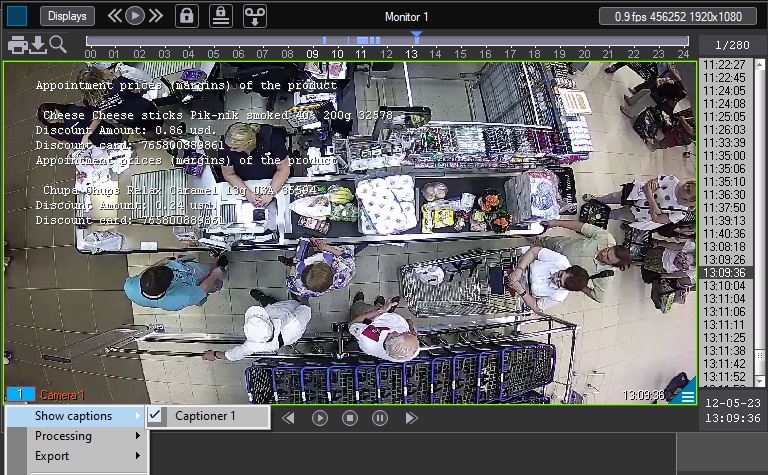
- In the list of available captioners, click the corresponding captioner name. After this, the captions from this captioner will no longer be displayed.
- To enable captions, select the captioners from which you want to receive captions.


