

Previous page Next page

Any user, regardless of role, can share domain permissions with other users. To do this:
- Go to the Domains tab.
- Click the
 button in the domain, the permissions to which you want to share.
 - Select Users and Groups.
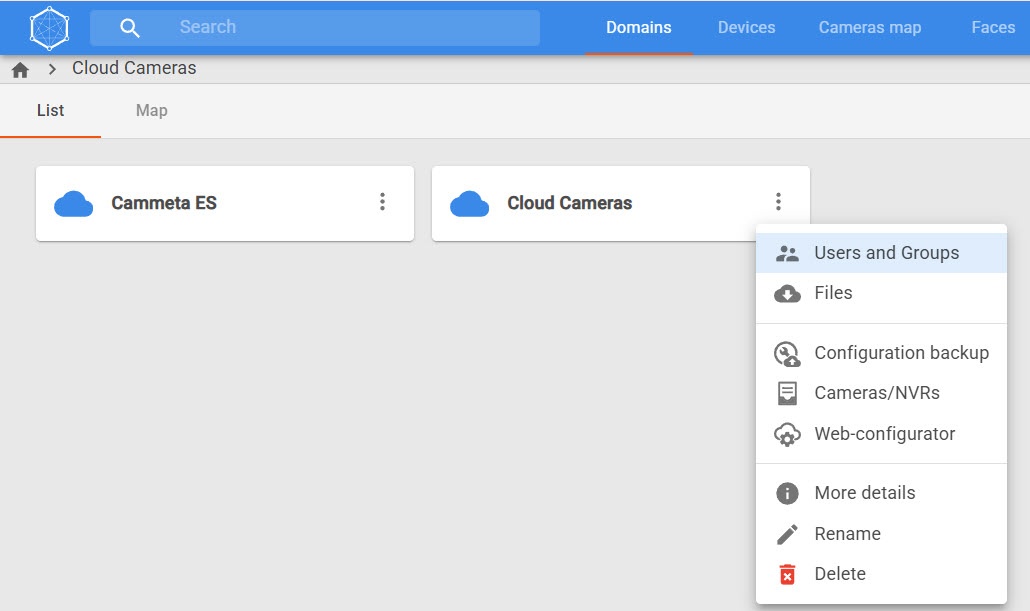
- In the window that opens, click the Add user button to add an existing user.
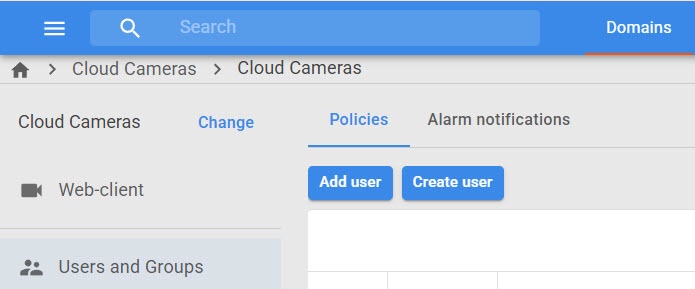
- In the window that opens, click the Users and Groups field.
- In the window that opens, set the checkboxes next to the users or user groups that you want to add to the domain. To show all users, turn on the Show all users toggle.
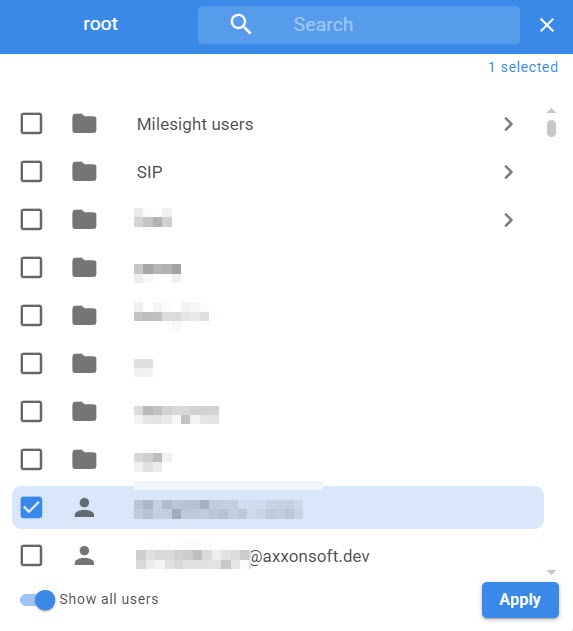
- Click the Apply button.
- In the Role field, select the domain role that you want to assign to the user from the drop-down list. You can assign the same role to the user or any other role of a lower rank.
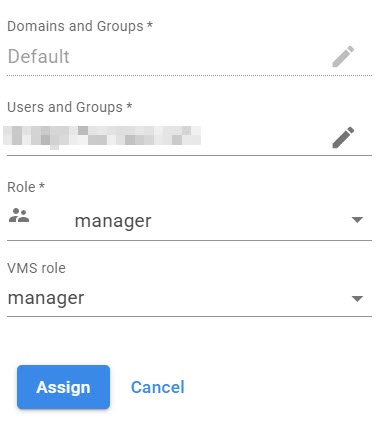
- When you select a domain connected via a token, the VMS role field is available. In this field, select an existing role in Axxon One to assign to the user.
- Click the Assign button.
As a result, the permissions to the selected domain are assigned to the selected user or user group.
Overview
Content Tools