
Go to documentation repository

Documentation for Monitoring PSIM 2.0 (english)
Previous page Next page

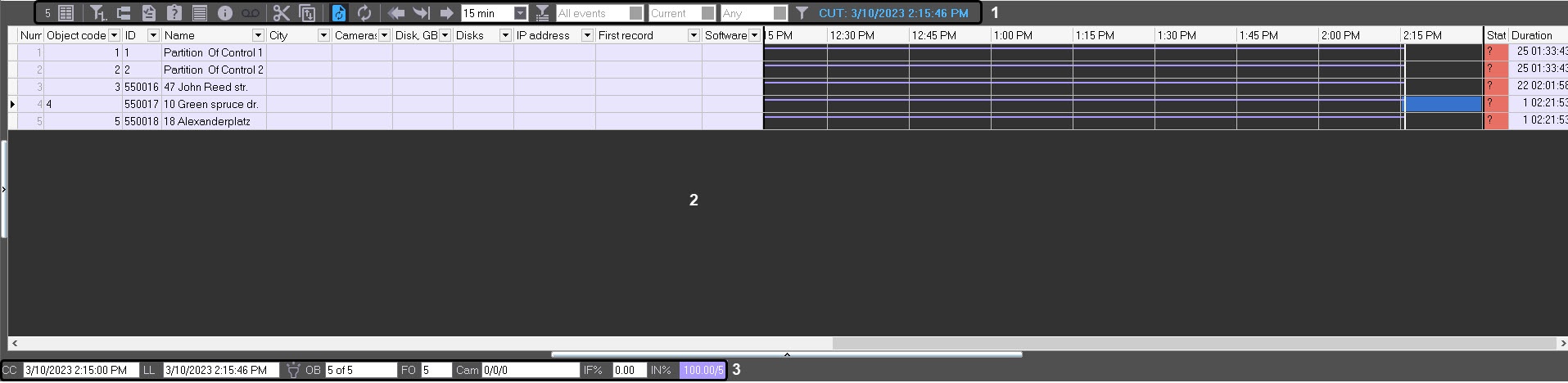
The log panel contains three main parts:
- Control buttons panel.
- Working area.
- Status bar.
Note
By default, the dark interface theme is set for the log panel. To set the light interface theme, you must set the OldLogPanel=1 parameter value of theKEY_LOCAL_MACHINE\SOFTWARE\BitSoft\VHOST\VHostService registry key (see Vertical solutions; for information on how to work with the registry, see Working with Windows OS registry).
Overview
Content Tools