
Go to documentation repository

Documentation for Axxon PSIM 2.0. Documentation for other versions of Axxon PSIM is available too.
Previous page Next page

By default, the operator cannot view live video before and after the inverted mask. The operator also cannot hide the screen before and after the inverted mask (see Area masking at export).
To give these rights to the operator, do the following:
- Go to the settings panel of the User rights object.
- On the Main tab, in the Archive group, set the Allow hiding screen before and after inverted mask checkbox (1).
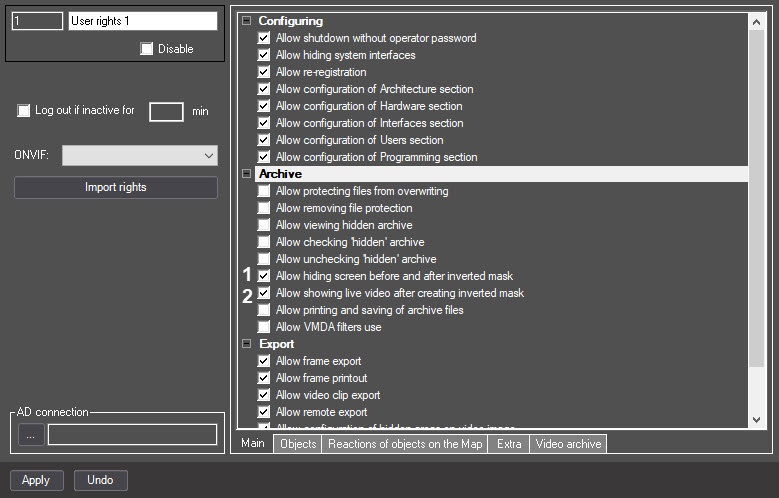
- To allow the operator to view live video before and after the specified mask, set the Allow showing live video after creating inverted mask checkbox (2).
- Click the Apply button.
Configuration of the rights to view video before and after the inverted mask and hide the screen is complete.
Overview
Content Tools