
Go to documentation repository

Documentation for Axxon PSIM 2.0. Documentation for other versions of Axxon PSIM is available too.
Previous page Next page

After you specify the parameters for the search by line crossing or search by motion in the area along with search by color (optionally), you can save the search template and then use it to quickly start the search without setting any parameters.
To save the search template, select the Save template item in the camera’s function menu after you specify the search parameters.
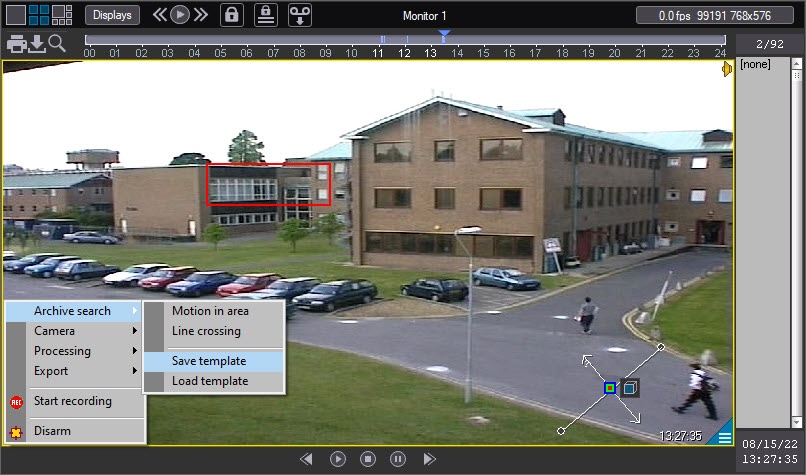
A standard Windows dialog window opens, allowing you to save the template file in .ivmdaf format. By default, the template is saved in the Modules64\Filters folder in the Axxon PSIM installation directory.
To open the template, select the Load template item in the camera’s function menu.
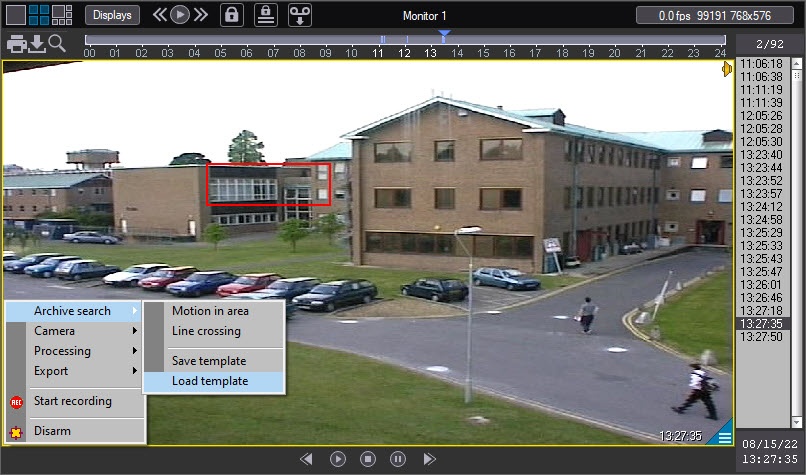
A standard Windows Open file dialog window opens. After you select the required file in the .ivmdaf format, the area or line with the configured search parameters (direction, speed, color, and so on) is displayed on the video, and the search is started automatically.
Overview
Content Tools