
Go to documentation repository

Documentation for Axxon PSIM 2.0. Documentation for other versions of Axxon PSIM is available too.
Previous page Next page

In Axxon PSIM, you can create up to 16 Sensor objects on the basis of the Video capture device object when the 16/4 sensor/relay card is installed.
All the Sensor objects corresponding to sensors connected to one 16/4 sensor-relay card (interface lines with the executive device) must be created in the Hardware object tree on the basis of the Video capture device object on the ADC cards of which the sensor-relay card is installed.
For the sensor to operate, you must create at least one Camera object based on the same Video capture device object.
If you install the sensor-relay card on the FS-5, FS-6 or FS-16 video capture card, then you can create the Sensor objects based on any Video capture device object within the hardware card.
If you install the sensor-relay card on the FS-8 video capture card, then you must create the Sensor objects based on the Video capture device object with the 07 number of the PCI channel.
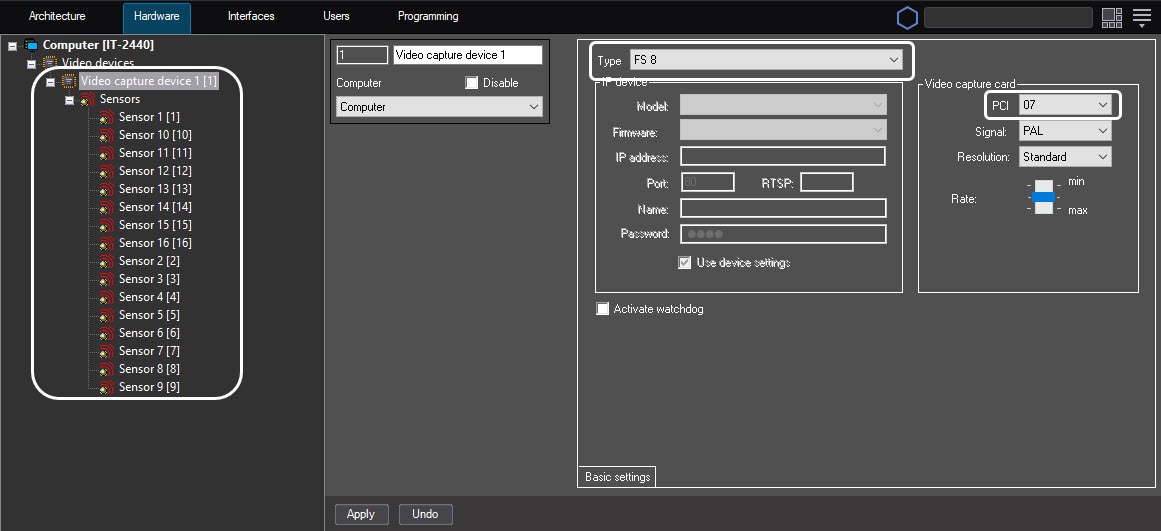
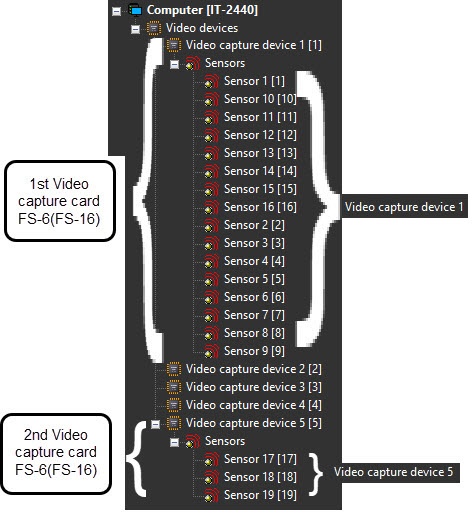
You can change the Sensor object's position in the Axxon PSIM object tree. To change the parent Video capture device objects for the Sensor objects, change the value of the Video capture device parameter on the settings panel of the Sensor object. The value of this parameter must correspond to the number of the Video capture device object in the object tree based on which you must place the Sensor object. If you change the Video capture device parameter on the settings panel of the Sensor object, the object is moved to the branch of child objects of the Video capture device object different from the initial one.
The figure shows an example of placing the Sensor objects in the object tree when two FS-6 (or FS-16) video capture cards are used with 16 relays connected to the 16/4 sensor-relay card installed on the first video capture card and two sensors connected to the second one.
When you configure the Sensor objects in Axxon PSIM, you must assign the channel numbers of sensor connections (interface lines with the executive device) to the sensor-relay card in accordance with the numeration of inputs of the DI sensor/relay connection connector on the card.
To change the channel numeration, use the Channel number list on the settings panel of the Sensor object.
When you use the 16/4 sensor-relay cards, up to 16 relay connection channels are available according to the configuration of the license key file.
The figure shows an example of allocating the channel numeration on the 16/4 sensor-relay card installed on the FS-6 or FS-16 video capture card (four Video capture device objects correspond to four ADCs)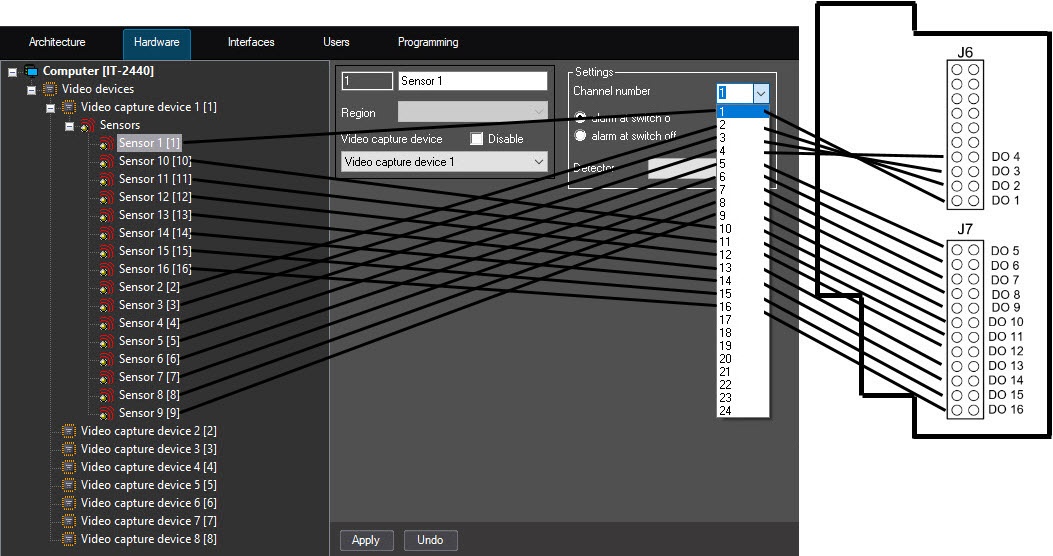
Channels of the second (the next one) 16/4 sensor-relay hardware card are numbered from 1 to 16 according to the DI input connectors of the sensor/relay connection on the card. Example of allocating the channel numeration on the second (the next one) 16/4 sensor-relay card installed on the FS-6 or FS-16 video capture card (four Video capture device objects correspond to four ADCs):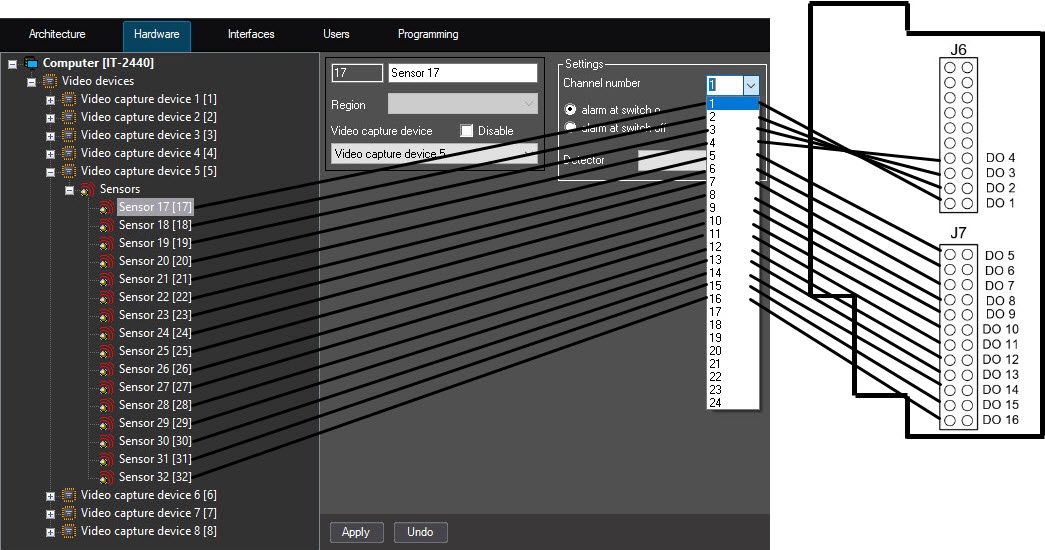
Overview
Content Tools