
Go to documentation repository

Documentation for Monitoring PSIM 2.0 (english)
Previous page Next page

The export directory is automatically created on the Server of Control and on the Central Server of Control to save all requested frames and video fragments. By default, the export directory is located at DISK:\Export\ path, where DISK is the drive on which the operating system is installed. You can change the path to this directory using the ExportPath parameter of the HKEY_LOCAL_MACHINE\SOFTWARE\Wow6432Node\BitSoft\VHOST\VHostService registry key (see Vertical solutions; for more information on working with the registry, see Working with Windows OS registry). Then the Monitoring reports and Search in archive modules can work with this data storage.
If necessary, you can configure saving frames and video fragments in the Monitoring PSIM database on the Server of Control (MonitorSSTV) and the Central Server of Control (ServerSSTV) instead of the export directory. For this, you must set the KeepVideoDataInBase parameter of the HKEY_LOCAL_MACHINE\SOFTWARE\Wow6432Node\BitSoft\VHOST\VHostService registry key equal to the number of days of storage in the database (see Vertical solutions; for more information on working with the registy, see Working with Windows OS registry). The data is stored in the video_data table.
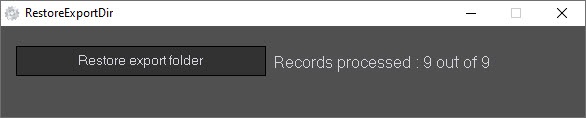
To restore data from the Monitoring PSIM database to the export directory, use the RestoreExportDir.exe utility that is installed on the Server of Control and on the Central Server of Control at the <Axxon PSIM installation directory>\Vhost\SYSTEM path. To start restoring data, click the Restore export folder button.
Overview
Content Tools