
Go to documentation repository

Documentation for Axxon PSIM 2.0. Documentation for other versions of Axxon PSIM is available too.
Previous page Next page

You can control video recording using the function menu of the Surveillance window of the web server monitor.
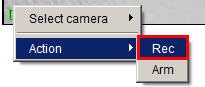
To start video recording on the camera, select Rec in the function menu of the Surveillance window that corresponds to the given camera.
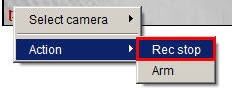
To stop recording, select Rec stop in the function menu of the Surveillance window.
The current status of recording is indicated by the color of the camera number border in the Surveillance window (see General information about video surveillance using a web browser).
Overview
Content Tools