
Go to documentation repository


The startup of Axxon PSIM using the Startup function is performed automatically after you start the Windows OS services and shell.
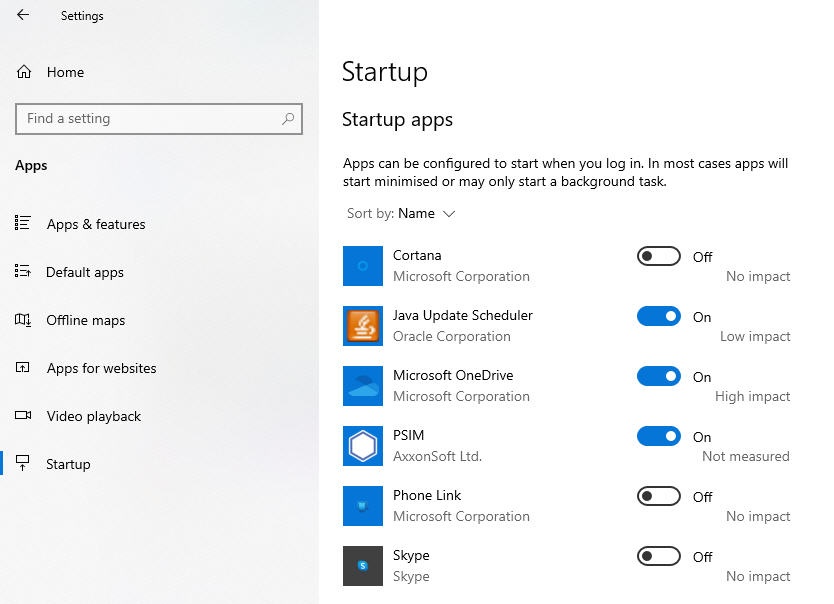
To configure the startup of Axxon PSIM using the Startup function, you must add Axxon PSIM to the Startup apps list: Start → Settings → Apps → Startup. For information on how you can do it, refer to the Windows OS documentation (depends on the installed version). The link for the corresponding documentation is in the Startup window.
Example of Axxon PSIM added to Startup:
Attention!
In the Windows 8.1 and Windows 10 operating systems, for the proper operation of the Startup function, you must create the string registry key with an arbitrary name in the branch HKEY_LOCAL_MACHINE\SOFTWARE\Microsoft\Windows\CurrentVersion\Run (if the OS is 32-bit) or in the branch
HKEY_LOCAL_MACHINE\SOFTWARE\Wow6432Node\Microsoft\Windows\CurrentVersion\Run (if the OS is 64-bit).
Specify the path to the executable file as the key value, for example: C:\Program Files\PSIM\Core_server64.exe.
You must also completely disable UAC as described in OS settings for correct operation of remote administrator’s workstation or server.
Overview
Content Tools