
Go to documentation repository
Documentation for Axxon One 2.0 version. Documentation for Axxon One 3.0 version is also available.

Attention!
- If you transfer the configuration, old events from the database are lost.
- The VMDA metadata are saved if they are stored on the network drive.
- The failover system must have the Enterprise or Unified license type (see Types of licenses). In the license file, you must specify the real node names of the future cluster. Otherwise, the configuration backup is transferred with the incorrect license.
To transfer the configuration from the common security server to the failover system node, do the following:
- Create a copy of the configuration on the server (see Backup and restore utility).
- Remove Axxon One from all servers of the domain, saving the configuration (see Removal).
- Install Axxon One on all servers using the Failover server and client installation type (see Installation).
- Initialize a cluster (see Creating a cluster) using the supervisor Web-interface (see Supervisor Web-Interface).
- Add servers that are used in the domain to the cluster.
Add nodes to the cluster.
Note
The node names in the cluster must match the names of the servers that are used in the common Axxon One security system.
- Connect the client to one of the cluster nodes (see Connecting to a Node and Configuring of an Axxon domain).
- Add nodes to the domain.
- Connect to the backup and restore utility configuration via the node (see Backup and restore utility).
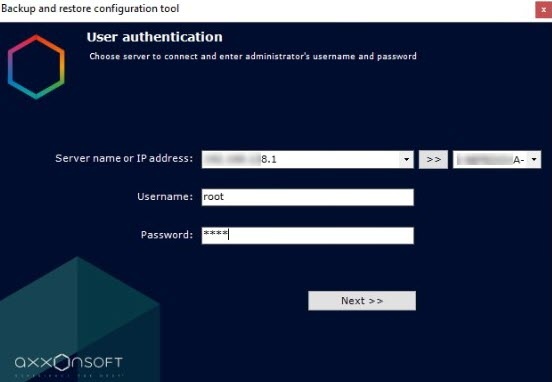
- Restore the saved configuration (see Backup and restore utility).
As a result, the configuration is transferred from the common security system to the failover system.
Overview
Content Tools