
Go to documentation repository

Documentation for Axxon PSIM 2.0. Documentation for other versions of Axxon PSIM is available too.
Previous page Next page

You can change the rights assigned to the operator in one of the following ways:
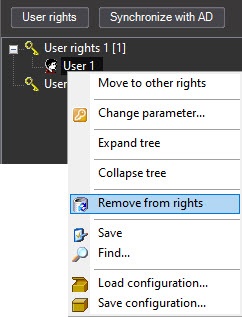
By deleting the operator from the old rights using the Remove from rights item in the User object context menu and assigning new rights as described in Assign rights and password to operators for authorization in Axxon PSIM. To delete the User, you can also select the User in the list and press Ctrl+Del on the keyboard.
Note
When you click the Remove from rights item in the menu, the confirmation is not requested. The operator rights are deleted immediately.
- By assigning the operator new rights with the Move to other rights item in the User object context menu.
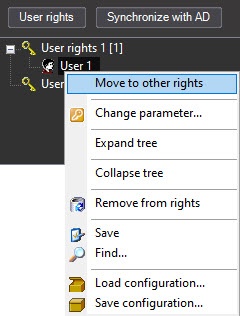
As a result, the Move to other rights window opens.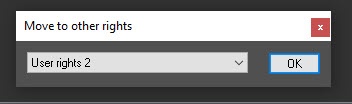
Select the User rights object from the drop-down list, then click the OK button. The operator is assigned the selected rights. - Edit the settings of the User rights object specified when registering user's rights.
Attention!
The changes to user rights do not apply "on the fly", that is, the operator logged into the system must re-login in order for the changes to be applied.
Overview
Content Tools