
Go to documentation repository
Previous page Next page
Attention!
In order to create the report by number of open POS terminals, you must first create and configure the POS terminal and the Shop objects in POS PSIM (see The POS terminal object setup and Setting up the Shop system object).
Note
You can use templates when you create a report.
To add a new template, click Report templates → New template and fill in the Name and Description fields. The template will use the selected parameters of the current report.
Templates work the same way as templates in the scheduler and can be used interchangeably.
When you create a response using a template, click Report templates at the top of the page and select the required template from the list of saved templates (the required template is highlighted). As a result, the parameters of the current report are updated according to the selected template.
To create the Report by number of open POS terminals:
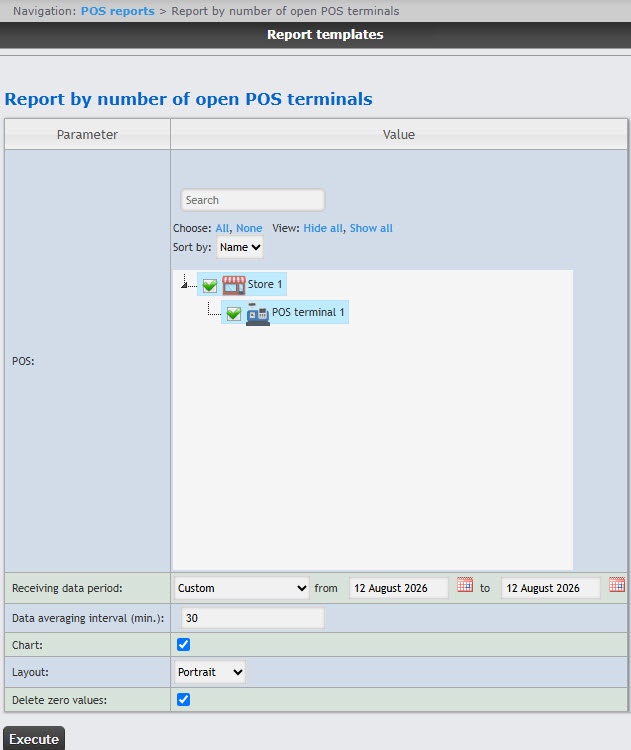
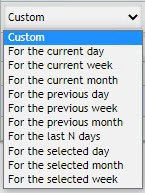
Select the POS terminals (cash desks) that you want to include in the report by setting the corresponding checkboxes in the list. Click All to select all POS terminals. Click None to deselect. Click Show all to expand the POS terminal structure. Click Hide all to hide the POS terminal structure.
To use the search when selecting the POS terminals, in the search field start entering the POS terminal name. The search works starting from the first character. The results are highlighted in a different color.
Attention!
This field is mandatory: the report will not be generated if no value is selected. If you try to generate a report, a warning message will alert you that you must select at least one value from the list.
The POS terminals that are not assigned to the shop are not available in the list.
As a result, a summary table or a chart will be displayed containing the number of open POS terminals according to the specified parameters. If the report is displayed as a chart, then the number of open POS terminals is displayed along the vertical line, and the time corresponding to the number of open POS terminals is displayed along the horizontal line.
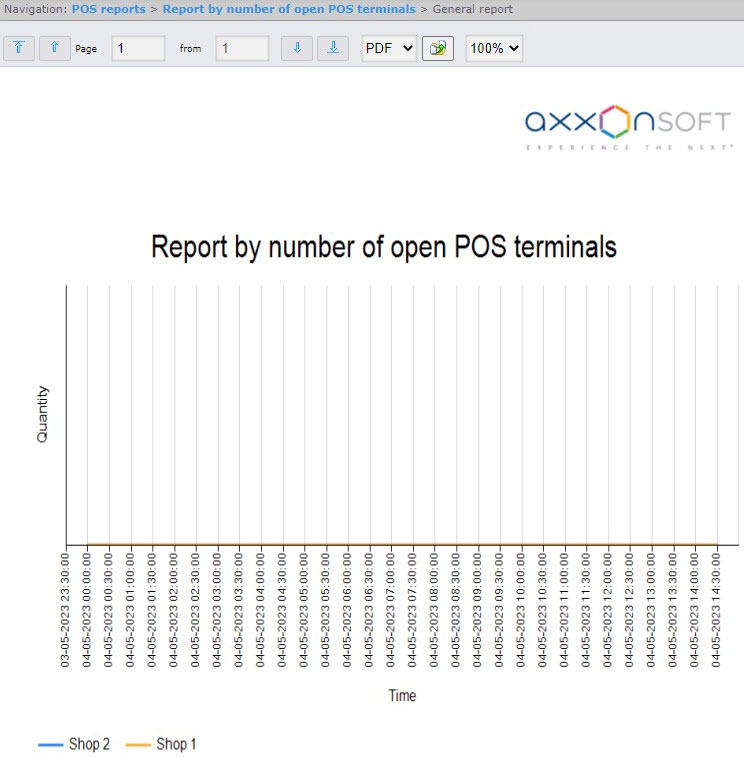
You can export the created report (see Export of reports).

