
Go to documentation repository


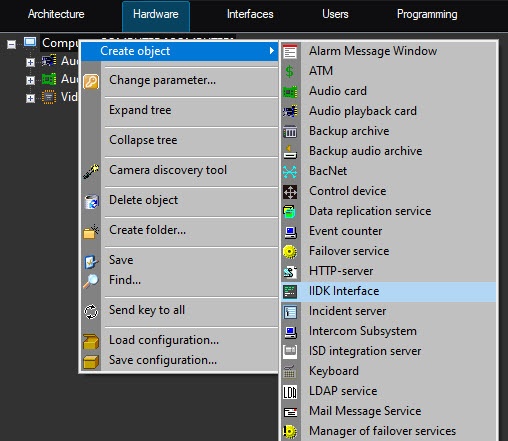
You can use the IIDK interface object to manage all elements of the system. You can create the IIDK Interface object on the basis of the Computer object in the Axxon PSIM object tree.
Note
To use the IIDK Interface object, this feature must be enabled in the activation key.
If you start Axxon PSIM in the demo mode, the IIDK Interface object is activated after the functional module is connected to the system core (see Connect).
Attention!
When you connect to the video subsystem (port 900), the ID of the IIDK Interface object must not be the same as the IDs of the Monitor objects created in the system.
If you use the IIDK Interface object, the settings panels for the integrated functional modules (third-party applications) aren't created.
Overview
Content Tools