
Go to documentation repository
| Info | ||
|---|---|---|
| ||
You can use templates when you create a report. To add a new template, click Report templates→New template and fill in the Name and Description fields. The template will use the selected parameters of the current report. Templates work the same way as templates in the scheduler and can be used interchangeably. When you create a response using a template, click Report templates at the top of the page and select the required template from the list of saved templates (the required template is highlighted). As a result, the parameters of the current report are updated according to the selected template. |
| Note | ||
|---|---|---|
| ||
To display frames from cameras in the generated created report, it is necessary to you must configure the video player (see see Video Player Settingsplayer settings). |
To create athe Report by camera, do the following:
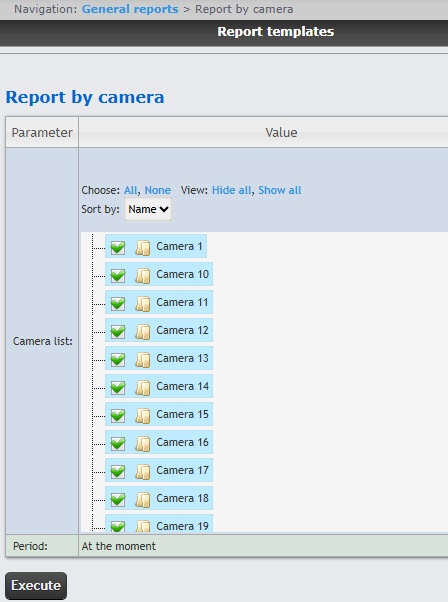
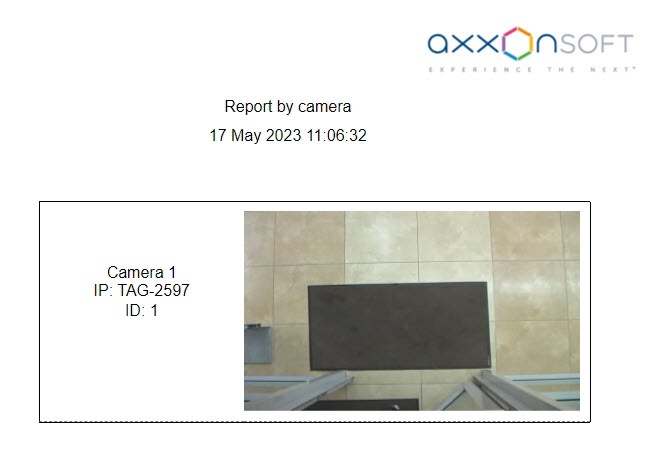
The report by camera contains the following information:
Camera name in Intellect; Axxon PSIM.
Camera IP address;.
Camera ID;.
Frame from the camera at the time of the report generation. The frame is taken from the video stream, which is intended for recording the archive.
The Report by camera is created.

