
Go to documentation repository


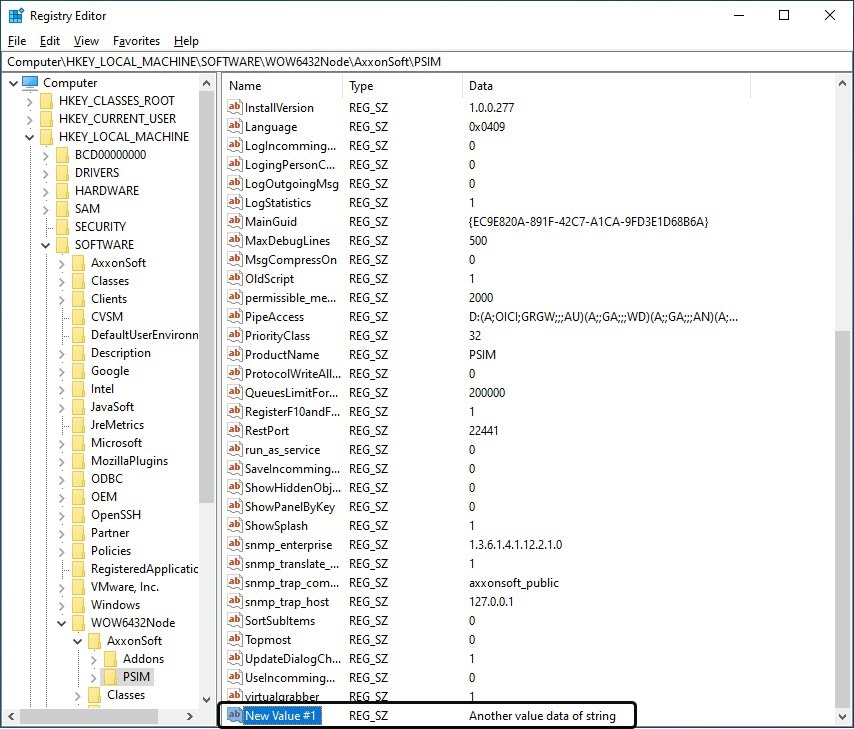
To modify the value of a string parameter, do the following:
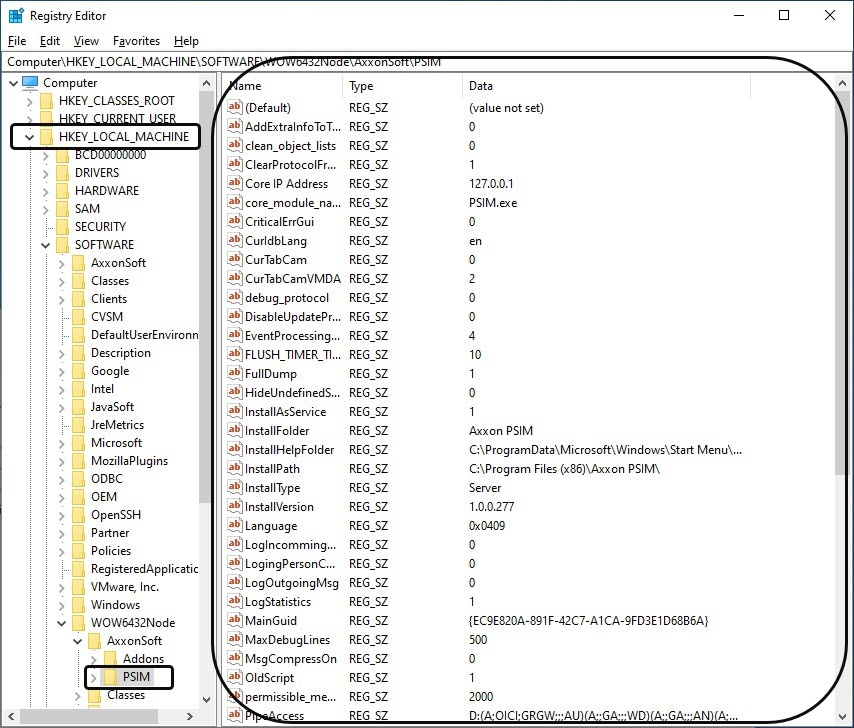
- Select the required branch and click the plus icon. All folders (keys) inside this branch will be displayed.
- Find a key containing the parameter to be edited. The table on the right will display the existing parameters of this key.
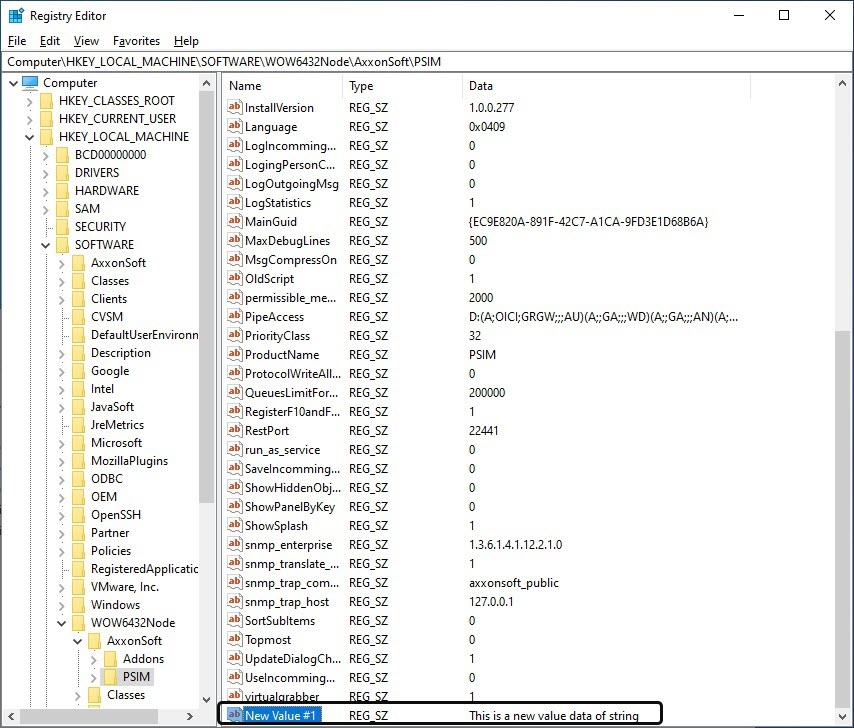
- Select the parameter to be modified.
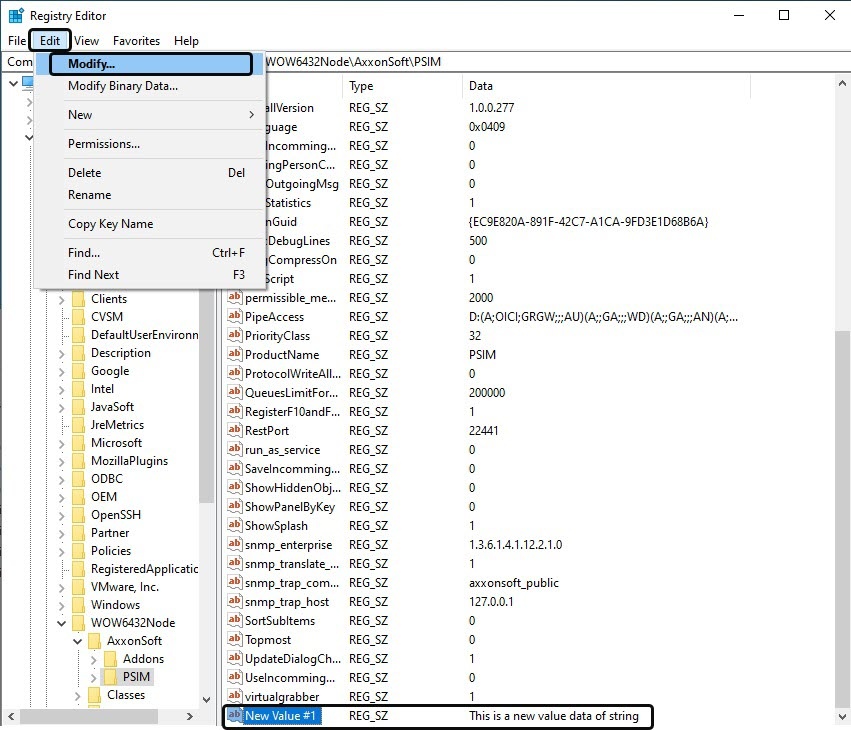
- In the menu, select Edit, then Modify.
The Edit String dialog box will open.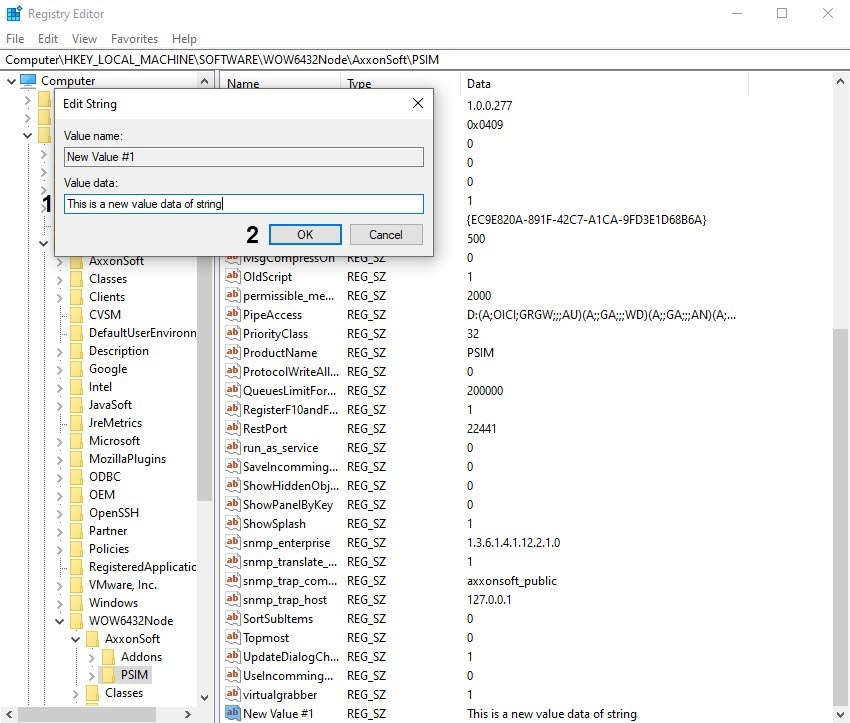
- Modify the value of the parameter. Delete the old value and enter a new one into the Value Data field (1). Click OK (2).
The value of the parameter will be changed.
Overview
Content Tools