
Go to documentation repository


To control an output, select Show output in the context menu of the Surveillance window.
Note
You must first activate an object before you can control its output.
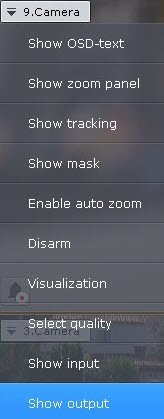
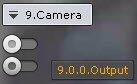
As a result, the output toggle is displayed.
Note
To hide the toggle, select Hide output in the context menu of the Surveillance window.
You can change the output state by clicking the toggle.
Note
If a output is controlled by several operators simultaneously, the output remains activated as long as at least one operator requires it.
Output toggle | Output status |
| Normal |
| Activated |


Overview
Content Tools