
Go to documentation repository

Documentation for Axxon PSIM 2.0. Documentation for other versions of Axxon PSIM is available too.
Previous page Next page

To reduce CPU load, you can enable the asynchronous hardware decoder NGP (GPU+CPU):
- On the settings panel of the Camera object, go to the Advanced settings tab.
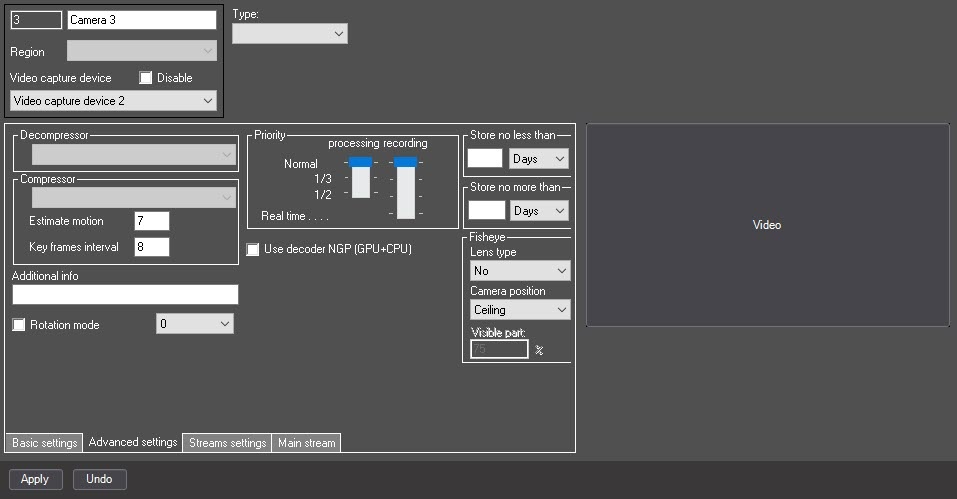
Set the Use decoder NGP (GPU+CPU) checkbox to enable the asynchronous hardware decoder NGP (GPU+CPU). Video decoding will be performed by the GPU, reducing the load on the CPU (for more information about the asynchronous hardware decoder, see Asynchronous hardware decoder NGP).
- Click the Apply button.
The asynchronous hardware decoder NGP (GPU+CPU) is enabled.
Overview
Content Tools