
Go to documentation repository
Previous page Next page
To configure general reports:
Go to the Settings tab of the general reports administration menu.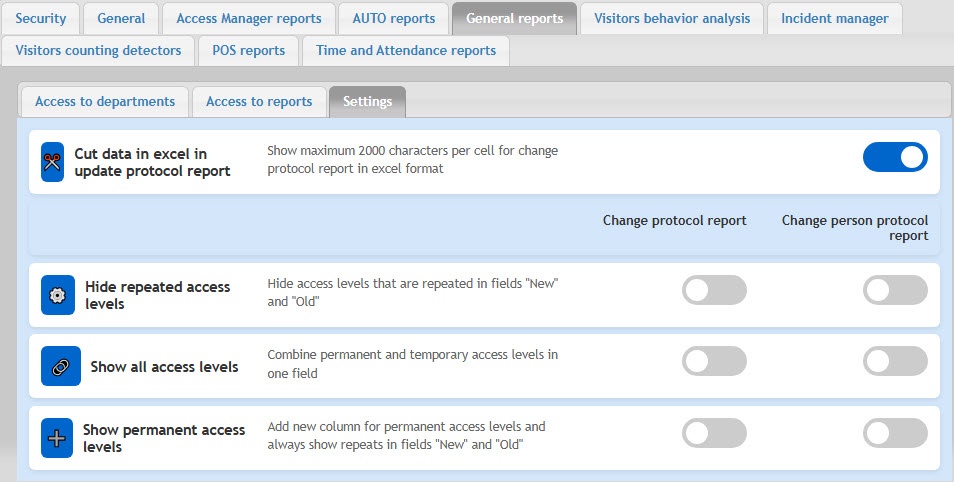
By default, the Change protocol report displays only 2000 characters per cell. The remaining data is truncated. To disable truncation of report data, turn off the Cut data in excel in update protocol report toggle. After you do this, the data will be displayed entirely.
If necessary, turn on the Show all access levels toggle to display permanent and temporary access levels in a single field in the Change protocol report and Change person protocol report. By default, access levels aren't combined, and the toggle is turned off.
If necessary, turn on the Show permanent access levels toggle to display all changes to permanent access levels in a separate field, with duplicates in the Change protocol report and Change person protocol report. By default, duplicate permanent access levels aren't displayed, and the toggle is turned off.
Configuration of general reports is complete.

