Unable to render embedded object: File (books.jpg) not found.
Go to documentation repository
Documentation for Axxon Next 3.0.1. Documentation for other versions of Axxon Next is [available too].

For each video camera, video detection tools of all three types are automatically created (see the section titled Types of Video Detection).
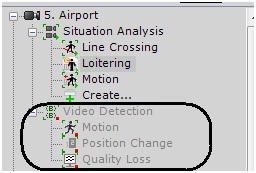
You can configure video detection tools as follows:
- Enable video detection (disabled by default).
- Set the general video detection tool properties.
- Enable the desired video detection tools (all are disabled by default).
- Configure the motion detection.
Note: The loss of quality and position change detection tools do not require configuration.
- Check detection tool functioning with the help of the Triggers ribbon (optional) (see the section Checking the Triggering of a Detection Tool).
- For each detection tool, set rules to be automatically executed when the detection tool is triggered (see the section titled Configuring Automatic Rules).
Overview
Content Tools