Unable to render embedded object: File (books.jpg) not found.
Go to documentation repository
Documentation for Axxon Next 3.5.1. Documentation for other versions of Axxon Next is [available too].

Saving a search query allows quickly switching to the results from Live View and Archive modes.
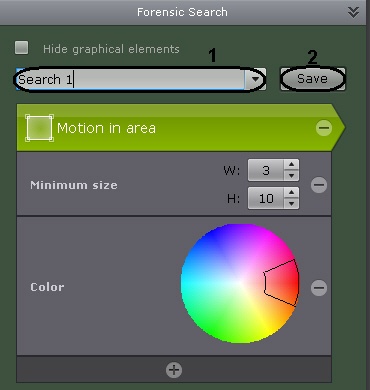
To save a search query, specify a name (1) and click the Save button (2). After this, the tab for the search query becomes available in the lower-right corner of the viewing tile in Live Video and Archive modes (see XXX).
To edit a search query, view the list and select the relevant query.
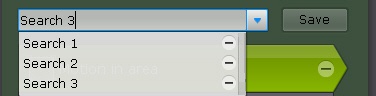
Changes are not saved until the Save button is clicked. If the query name is changed, the query is saved under the new name and the old, unchanged query remains available.
To delete a search query, click the  button.
Overview
Content Tools