
Go to documentation repository


The Event rules macros can be initiated not only by events of a particular type (see Configuring start conditions), but also by statistical parameters.
To configure the start of the Event rules macros based on statistical data, do the following:
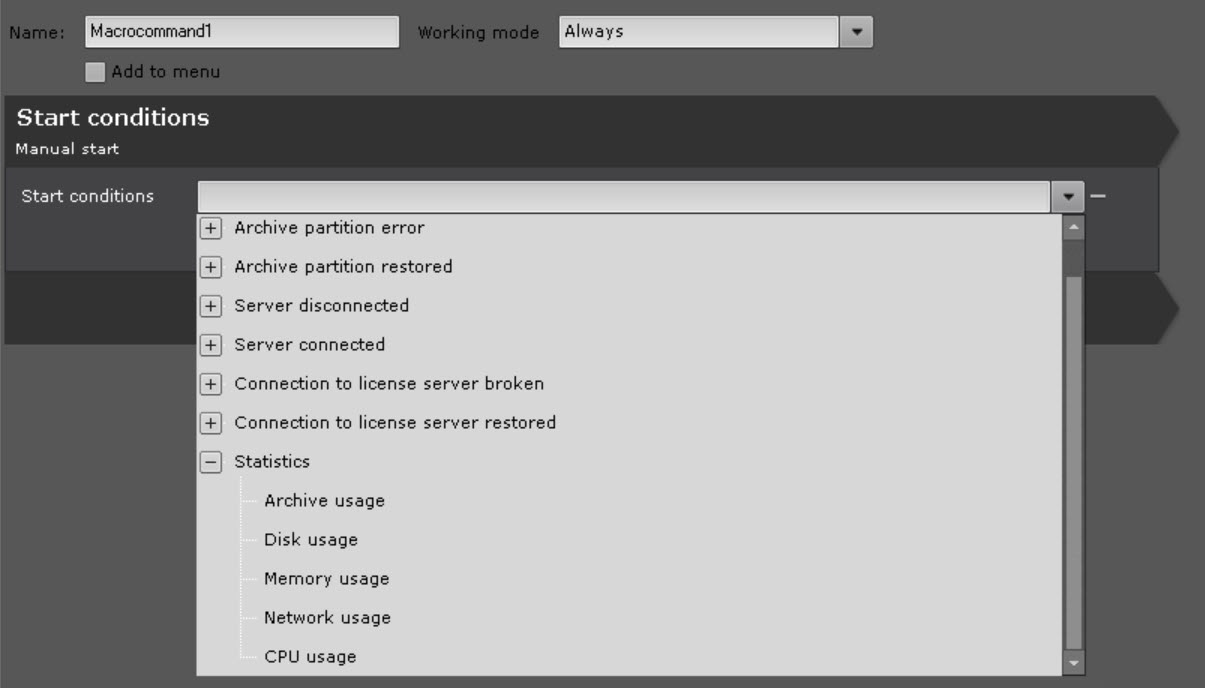
- In the Start conditions list, in the Statistics group, select the required event.
In the Parameter field, set a specific parameter.

Event
Parameter
Archive usage
Archive in the following format: hosts/TEST/MultimediaStorage.AliceBlue/MultimediaStorage (see Get archive contents page in the Integration APIs documentation). Integration APIs documentation is not publicly available. Access is provided upon request via your local AxxonSoft representative. To request access, please contact your local manager or submit the form Request API
Disk usage
SERVER1@C:\, where SERVER1 is the name of a server within the Axxon-domain, C:\ is the disk letter.
Attention You cannot monitor storage capacity of a disk fully allocated for the archive (see Creating a local archive)Memory usage
The name of a server within the Axxon-domain
Network usage
CPU usage
- In the Value field, enter the capacity value in percent.
- In the Delta field, set the range of capacity values if you use the Leaving trend.
From the Trend list, select a trend to start a macro.
Trend Macro start if capacity value
Leaving leaves the specified range [Value – Delta; Value]
Rising exceeds the Value value
Falling
falls behind the Value value
Attention!
Macro starts only when events that meet the start conditions occur in the future. For example, if the current CPU usage is 85%, and you specified the macro to start when the threshold of 80% is exceeded, the macro starts only when the threshold of 80% is exceeded next time.
- If necessary, you can specify several event and/or statistical conditions to start a macro (see Configuring start conditions).
- Click the Apply
 button.
Configuration of the start of the Event rules macros based on statistical data is complete.
Overview
Content Tools