
Go to documentation repository


General information
This action allows you to go to a preset of a PTZ camera.
Configuring an action
To configure the action, do the following:
- Go to the Programming tab.
- In the Event rules or Cycle rules list, click Create... (see Configuring macros).
- If necessary, select a start condition that triggers a macro (see Configuring start conditions).
- Click the
 button.
 - From the drop-down list, select Camera: Go to preset.
- From the PTZ drop-down list, select a PTZ device that you want to use. You can select any PTZ camera, including those bound to another server (if enabled).
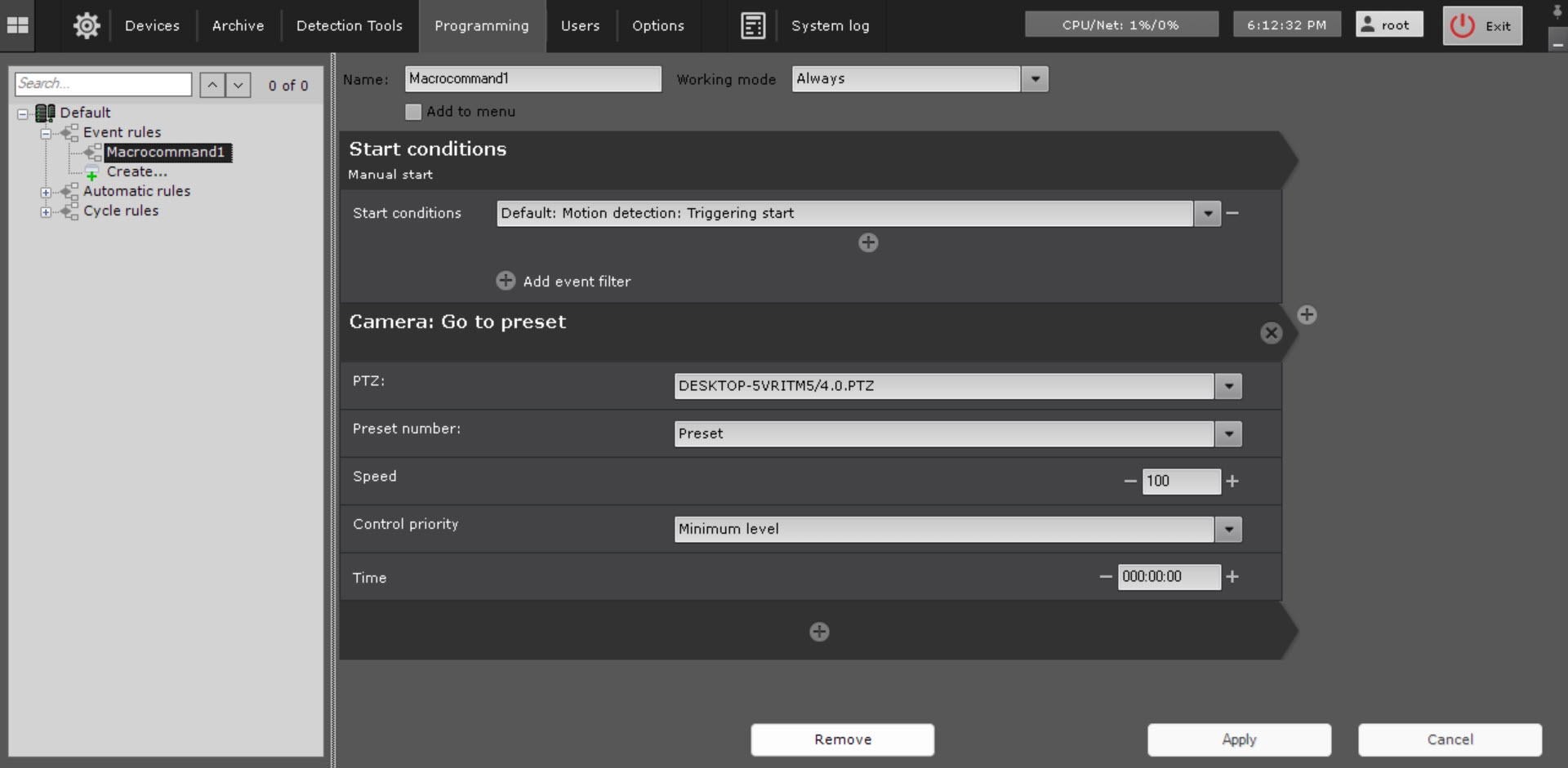
- In the Preset number parameter, select a preset to which you want to go when a macro triggers
- In the Speed parameter, set the rotation speed of the camera. The value must be in the range [1, 100].
- In the Control priority parameter, specify the camera control priority. The priority determines which user with which access level (see Roles) can control camera during macro execution.
- In the Time parameter, set the time. If a macro is executed and the user has a lower access level than the macro, the user can control the PTZ camera only after this time has elapsed.
Note
In order to create a sequential switching to specified presets at selected time intervals, configure Wait till previous action finishes between the switching actions. You can also set Wait for timeout. In this case, the switching between the presets takes place after the timeout time.
- Click the Apply
 button.
Configuration of the Go to preset action is complete.
Overview
Content Tools