
Go to documentation repository
Documentation for Axxon One 3.0/3.1 version. Documentation for Axxon One 2.0 version is also available.

You can rotate a video image 90°, 180° or 270° degrees.
Note
If you enable video rotation, only video in Live and Archive modes is rotated:
- video image is displayed on the map and on the alarms panel without rotation;
- video is recorded to the archive in unchanged form;
- export is performed in unchanged form;
- video image is received unchanged for analysis (metadata generation).
To rotate a video, do the following:
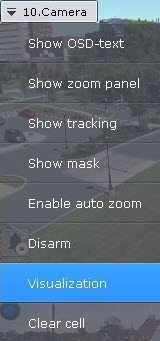
- In the context menu of the Surveillance window, select Visualization.
- Select the angle of rotation (clockwise).
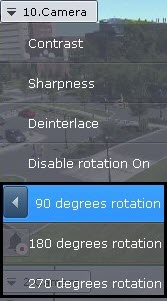
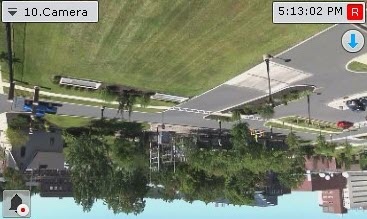
Video rotation is now complete.
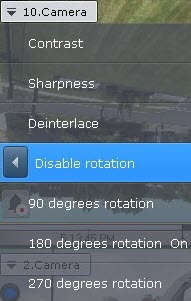
To disable video rotation, select Visualization → Disable rotation in the context menu of the Surveillance window.
Overview
Content Tools