
Go to documentation repository
Documentation for Axxon One 3.0/3.1 version. Documentation for Axxon One 2.0 version is also available.

You can delete an archive fragment using the timeline. To do this, you must:
Attention!
- You cannot restore deleted videos.
- If you select multiple archives for viewing (see Viewing combined archive), videos are deleted from all archives.
- Open the required layout (see Configuration of layouts).
- Select the required camera.
- Switch to the archive mode (see Switching to the Archive mode).
- On the timeline, select the interval to delete an archive fragment:
- Place the timeline pointer at the beginning of the interval.
- Click the
 button.
 - Scroll the timeline and place the pointer at the end of the interval.
- Click the
 button.
- Click the
 button.
 - Click the
 button.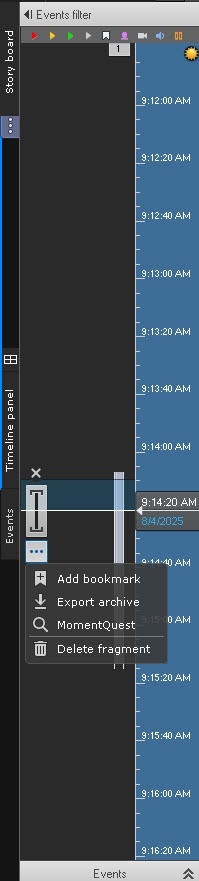
- Click the Delete fragment button.
- In the window that opens, set the parameter settings, which are specified in the table:
Deleting an archive fragment Start [date], [month], [year], [hours], [minutes], [seconds] By default, the interval selected on the timeline is displayed. If necessary, you can change the date and time to delete an archive fragment
Attention!
When you change the time range in the timeline or in the advanced navigation panel, the date and time values are updated automatically in the opened dialog window.
End Selected cameras 1 If you switch to the archive by one camera, the archive fragment of the selected camera is deleted. You can also select multiple or all cameras; for this you need to:
- Open the required layout (see Configuration of layouts).
- Switch to the archive mode (see Switching to the Archive mode).
- Click the Archive panel button.
- On the timeline, select the interval to delete an archive fragment
- Click the
 button.
 - In the warning window that opens, click the button again.
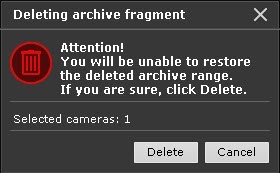
Deleting an archive fragment is complete.
Overview
Content Tools