
Go to documentation repository
Documentation for Axxon One 3.0/3.1 version. Documentation for Axxon One 2.0 version is also available.

To view the results of a saved search query in the surveillance window:
- Go to layout editing mode.
- Open the context menu of the surveillance window.
- In the context menu, select Search patterns and set the checkboxes next to the templates that you want to be displayed in the surveillance window.
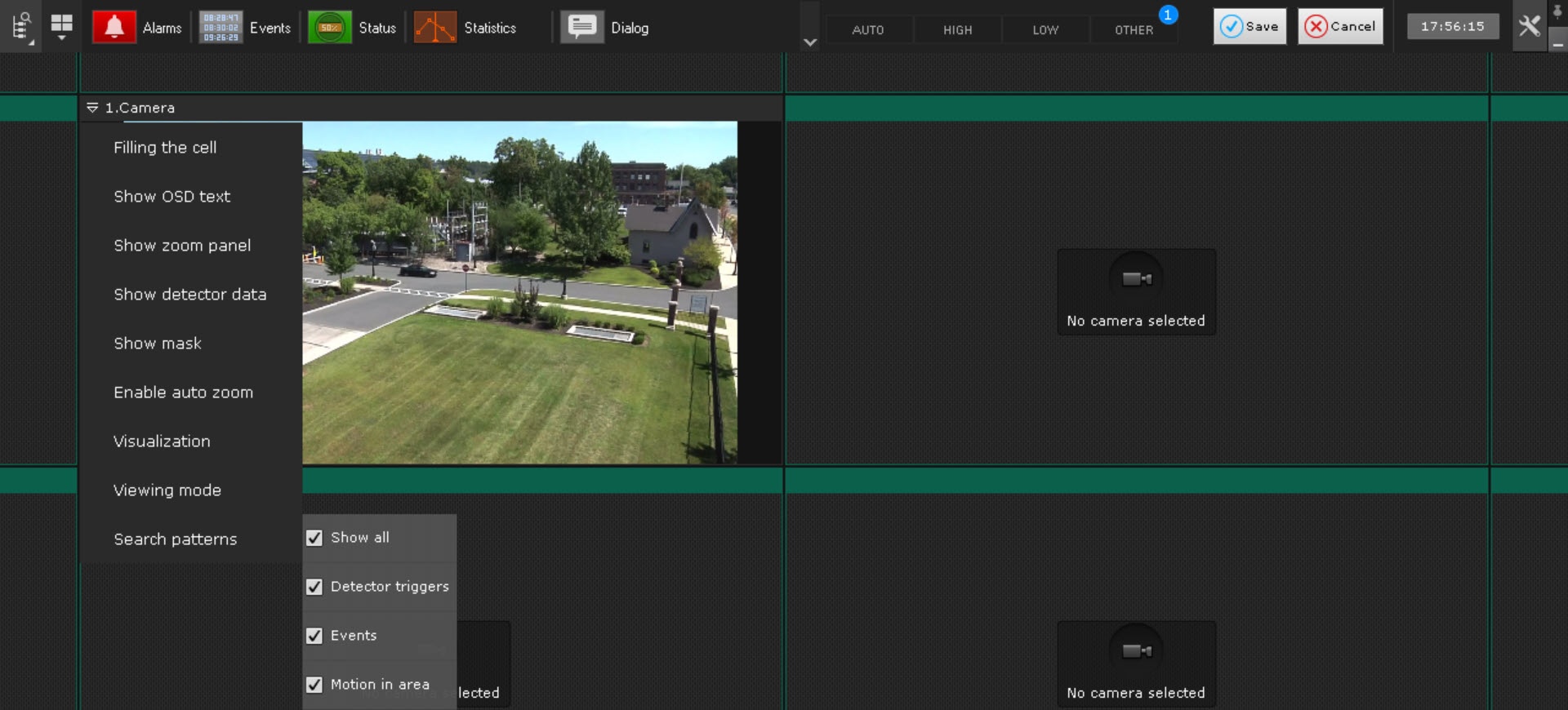
- Click the Save
 button to save the changes.
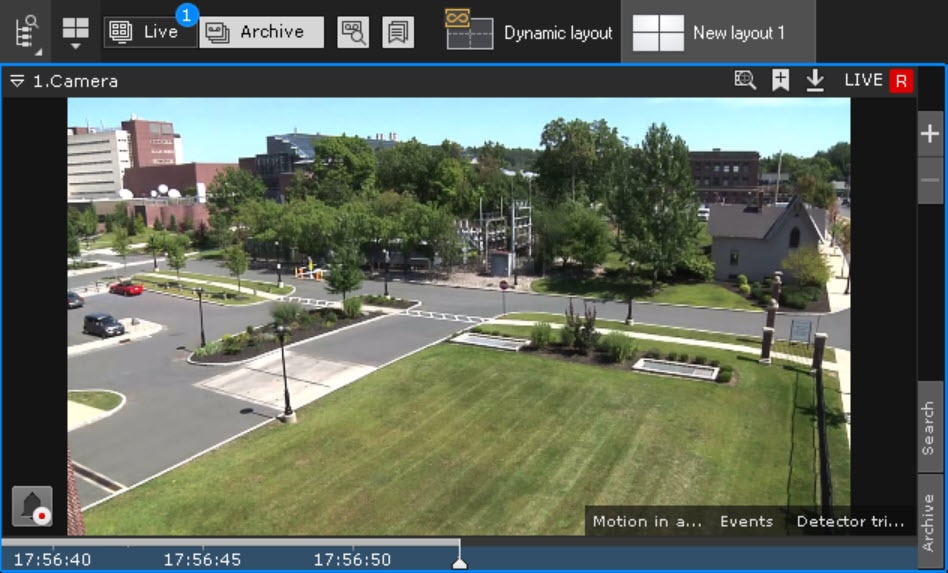
As a result, templates for these queries are displayed in the lower right corner of the corresponding surveillance window.
Note
When you hover the mouse cursor over a saved template, a tooltip with its full name is displayed.
If not all tabs fit in the surveillance window, a full list of saved search queries is available by clicking the  button.
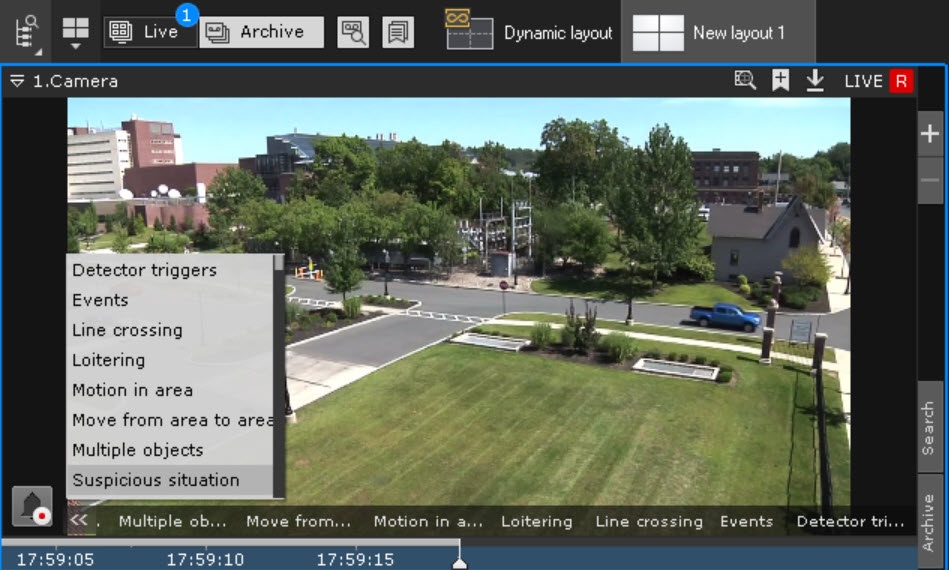
When you click the tab, you go to the results of the corresponding search. The standard controls of archive mode are used for navigating between search results (see Navigating in the archive).
Note
To go to the standard archive mode without displaying search results, click the corresponding tab in the surveillance window
The parameters of the search are displayed when you go from the search results to the archive analysis mode.
Overview
Content Tools