
Go to documentation repository
Documentation for Axxon One 3.0/3.1 version. Documentation for Axxon One 2.0 version is also available.

To set bookmark parameters:
- Go to the Settings tab → the Options tab → the Bookmark parameters item.
- Set the required bookmark parameters specified in the table:
Parameter Value Description Bookmarks categories Enter a name for the new category Enter a name of the new category and click the
 button
Category [Category name] If necessary, you can change the category name. To do this:
- Double left-click a category.
- Enter a new name.
- Click the Apply
 button
Attention!
- You can use symbols and Cyrillic and Latin letters.
- A category has its own unique identifier.
- When you create a category with the already existing name, the error message is displayed: A category with this name already exists.
Delete To delete one or several categories:
- Click the
 button next to the required categories.
 - Click the Apply button. To cancel the action, click the Cancel
 button.
 - In the warning window that opens, click the OK
 button. To cancel the action, click the Cancel
  button.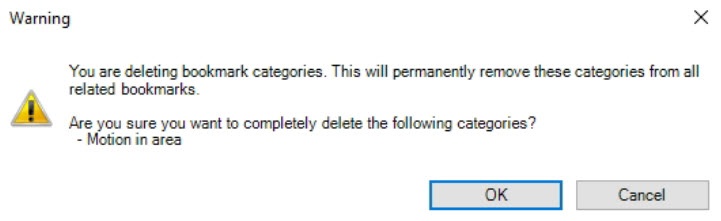
- Click the Apply button . To cancel the actions, click the Cancel button.
Setting bookmark parameters is complete.
Overview
Content Tools