
Go to documentation repository

Documentation for Axxon PSIM 2.0. Documentation for other versions of Axxon PSIM is available too.
Previous page Next page

Preparation for the Axxon PSIM startup consists of installing its hardware and software components.
The requirements for computers on which you want to install Axxon PSIM are the following:
- Select a processor in accordance with the computer configuration using the online calculator: https://sale.axxonsoft.com/calc/calculator.jsf. Documentation on the calculator is available here.
- RAM—at least 2 GB.
- HDD free space—10 GB to install Axxon PSIM + 20 GB to install SQL Server 2019 Express Edition (SP3) (for Server and Remote Administrator Workstations).
- HDD free space designed for video archive recording—in accordance with requirements for the archive depth (for Server and Remote Administrator Workstations).
- Video card:
- Discrete: NVIDIA GeForce GT520 1 GB RAM or higher performance.
- Embedded: Intel HD Graphics 530 or higher performance.
- Operating system—Windows Server 2008 R2 SP1, Windows 7 SP1, Windows Storage Server 2008 R2 SP1, Windows Small Business Server 2011 SP1, Windows Home Server 2011 SP1, Windows Server 2012, Windows 8, Windows 8.1, Windows Server 2012 R2, Windows Storage Server 2012 R2, Windows 10, Windows Server 2016, Windows Server 2019, Windows 10 IoT Enterprise, Windows 11.
Axxon PSIM installation includes the following stages:
- Connect video capture cards to servers.
- Connect cameras and microphones to video capture cards.
- Connect PTZ devices to servers.
- Install Axxon PSIM on servers, Remote Administrator Workstations, and Remote Clients.
The first stage of the Axxon PSIM installation involves installing equipment for digitizing video and audio signals on the PC. The Axxon PSIM installation kit includes one or several video capture cards (depending on the purchased type of license) intended to digitize video and audio signals. To install video capture cards, do the following:
- Cut off power to the computer onto which the installation is performed.
- Remove the case cover from the system unit.
- Install the video capture card into the free PCI (PCI Express) slot.
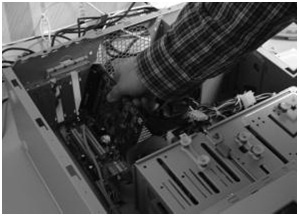
Restore the case cover back onto the system unit.
Installing the video capture card is complete.
The second stage of installation involves connecting cameras and microphones to the video capture card. The connection is performed using the interface cables with numbered BNC connectors (to connect cameras) and RCA connectors (to connect microphones) that are included in the installation kit. To connect microphones and cameras to the video capture card, do the following:
- Connect interface cables to the corresponding connectors of the video capture card.

Connect cameras to any of the 16 (8, 4) BNC connectors of the interface cable in the numerical order.
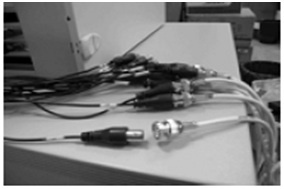
Connect microphones to any RCA connectors of the interface cable with numbers in the range from 1 to 8.
Connecting microphones and cameras to the video capture card is complete.
If necessary, the third stage of installation involves connecting available PTZ devices. PTZ devices are connected to the server via serial ports (RS-232 interface). Since PTZ devices typically use the RS-422 or RS-485 interface, you must connect them using special RS-422/485 -> RS-232 converters.
Before you connect PTZ devices, discover their desoldering schemes and the desoldering schemes of the used converters that are given in the corresponding documentation.
The fourth and final stage of the Axxon PSIM installation involves installing the software provided in the installation kit. You must have the Windows OS administrator rights to proceed with installation.
You can install Axxon PSIM in one of the following configurations:
- Server—the full-featured Axxon PSIM software kernel (the Core_server64.exe executable module). Servers are used to accept and process video signals that are coming from analog and IP cameras.
- Remote Administrator Workstation (RAW)—the full-featured Axxon PSIM software kernel (the Core_server64.exe executable module). Remote Administrator Workstations are used for remote administering of Axxon PSIM installed on servers and other Remote Administrator Workstations of the distributed video surveillance system, as well as specialized platforms: videogate, remote archive server, web server, and so on.
- Remote Client—the software kernel with functionality intended for the operator work (the Host_client.exe executable module). Remote Client provides remote video surveillance and audio control, that is, it acts in the client role.
To install Axxon PSIM, do the following:
- Power up the PC and start the operating system.
- Unpack the distributed package downloaded from the official website.
- Start the Axxon PSIM installation.
- Install the required Axxon PSIM (Server/Remote Client/RAW) configuration by following the setup prompts.
Note
During the installation process, the third-party software required for the Axxon PSIM operation and drivers for video capture cards are also installed.
Installing Axxon PSIM is complete.
Overview
Content Tools