
Go to documentation repository

Documentation for Axxon PSIM 2.0. Documentation for other versions of Axxon PSIM is available too.
Previous page Next page

On the page:
The tabs panel
The tabs panel is used to switch between the Axxon PSIM object group settings of different types:

- The Architecture tab is used to describe the system structure, the network settings of the computer communication, and the parameters of the event transfer between the computers in the distributed system.
- The Hardware tab is used to connect and configure the hardware and software modules. This tab is also used to connect and configure the operator query panel.
- The Interfaces tab is used to create and configure the virtual screens and the operator's interface components—video surveillance monitors, audio players, and control panels of various devices and modules.
- The Users tab is used to create user accounts (registration) of users in the digital video surveillance and audio control system, classify their access level rights to the system resources, and assign passwords to users.
- The Programming tab is used to create macros, programs, and scripts, as well as to schedule Axxon PSIM operation and divide the protected area.
The objects tree
The objects tree is the multi-level list of embedded objects.
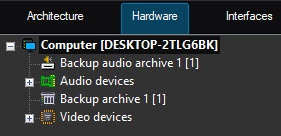
The structure of objects is hierarchical, the lower-order (child) object in the hierarchy can be created only on the basis of the higher-order (parent) object.
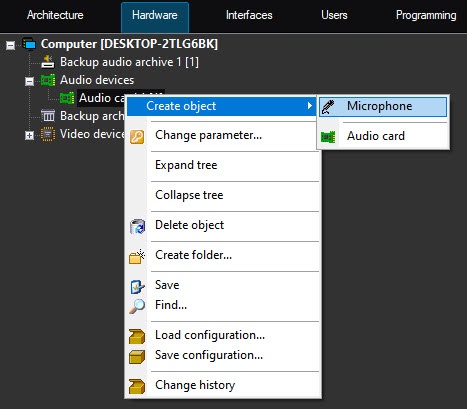
You can expand the objects tree and view all its groups (branches) or collapse them to hide the irrelevant objects at the current moment.
The object settings panel
The object settings panel is used to activate and configure an object selected in the objects tree.
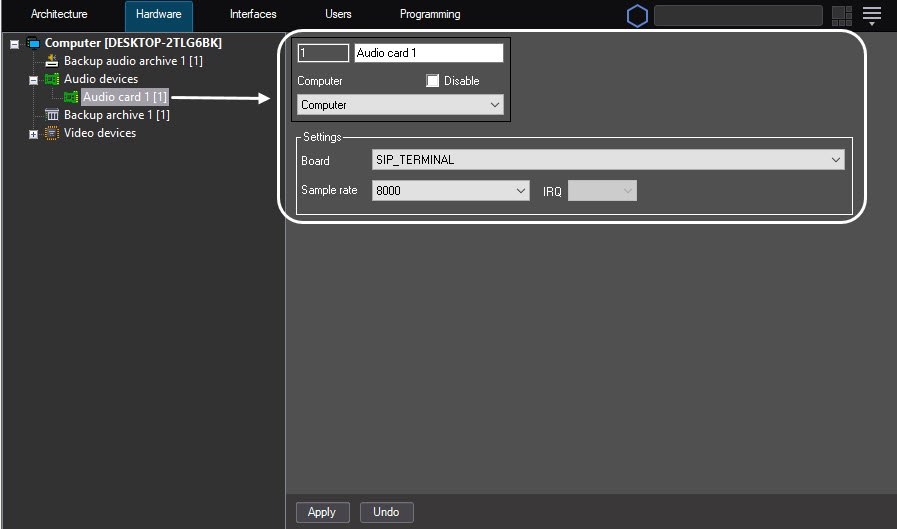
Depending on the type of the selected object, the settings panel displays the required interface elements to enter its parameter values.
The Apply and Undo buttons
The Apply button is used to save the specified identification and setting parameters. The Undo button is used to return to the previous identification and setting parameters.
Note
After you click the Apply button, you cannot use the Undo button to cancel an action.
Overview
Content Tools