
Go to documentation repository

Documentation for Axxon PSIM 2.0. Documentation for other versions of Axxon PSIM is available too.
Previous page Next page

Axxon PSIM interface objects are intended for displaying the information processed by system objects. Interface objects are combined into the display groups using the Screen objects. All interface objects that are child ones to the screen are simultaneously displayed on the monitor.
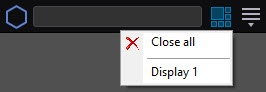
To switch between screens, use the Interfaces button on the system’s QAT. The Close all item is used to close all active visible Axxon PSIM screens.
This guide briefly describes the operation of the following Axxon PSIM interface objects:
- Axxon PSIM main control panel;
- The Audio player object;
- The Backup archive panel object;
- The Captions search object;
- The Display manager object;
- The Event viewer object;
- The External window object;
- The HTML Interface object;
- The Incident manager object;
- The Live sound switch object;
- The Map object;
- The Monitor object;
- The NGP monitor object;
- The Operator protocol object;
- The SIP panel object;
- The State statistics object;
- The Telemetry control panel object.
For more information on working with Axxon PSIM interface objects, see Operator's Guide.
Overview
Content Tools