
Go to documentation repository

Documentation for Axxon PSIM 2.0. Documentation for other versions of Axxon PSIM is available too.
Previous page Next page

To disarm a camera of the main detection zone, select the Disarm option in the function menu of the required surveillance window.
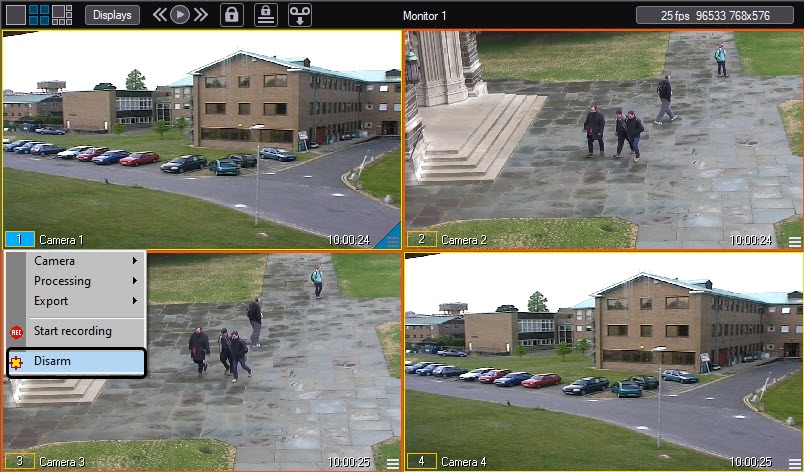
When you disarm the camera of the main detection zone, the outline color changes: the outline color of the surveillance window turns green, and the color of the camera indicator in the function menu of the surveillance window also turns green.
If the camera of the additional detection zone is armed, you can disarm it using the function menu of the surveillance window.
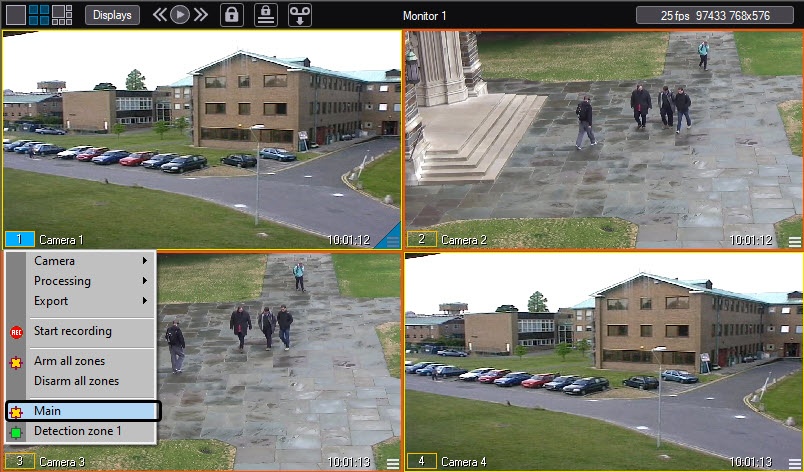
When you disarm the camera of the additional detection zone, the camera indicator in the function menu of the surveillance window turns green, but the outline color of the surveillance window doesn't change.
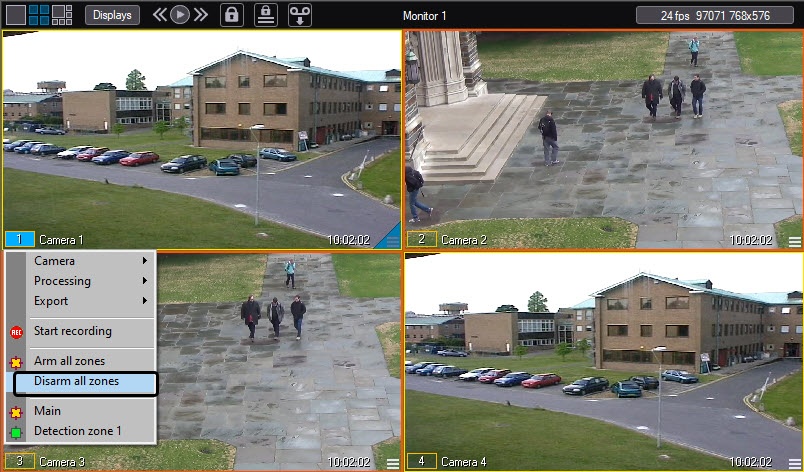
To disarm the camera of the main detection zone and all additional detection zones simultaneously, select the Disarm all zones item in the function menu of the surveillance window.
Overview
Content Tools