
Go to documentation repository

Documentation for Axxon PSIM 2.0. Documentation for other versions of Axxon PSIM is available too.
Previous page Next page

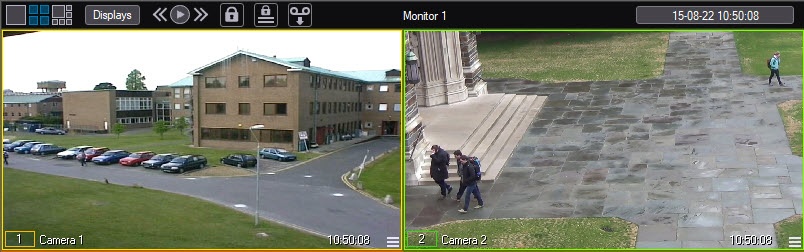
If Tag&Track is configured in Axxon PSIM (see Tag&Track configuration), then video surveillance monitor allows for tracking any selected object on video. Two surveillance windows are required to use of Tag&Track, that is, for stationary and PTZ camera (see Configuring video display on Video Surveillance Monitor).
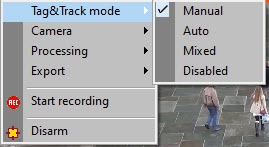
The Tag&Track feature works in one of the following modes:
- Manual (default)—left-click the outline of any moving object in the surveillance window to start tracking the object. The selected outline turns blue. As a result, the PTZ camera will follow the object until the track is lost.
- Auto:
- If switching to the next object isn't configured, the first detected object is tracked until the track is lost.
- If switching to the next object is configured, the first detected object is tracked for a specified period of time, and then switching to the next sequential object is performed.
- If switching to the next object isn't configured, the first detected object is tracked until the track is lost.
- Mixed—automatic mode of operation until you select an object manually. When the selected object is lost, Tag&Track switches to automatic mode until you select another object manually.
- Disabled—objects aren't tracked.
You can use the Tag&Track mode item in the menu of the surveillance window to switch modes.
Overview
Content Tools