
Go to documentation repository

Documentation for Axxon PSIM 2.0. Documentation for other versions of Axxon PSIM is available too.
Previous page Next page

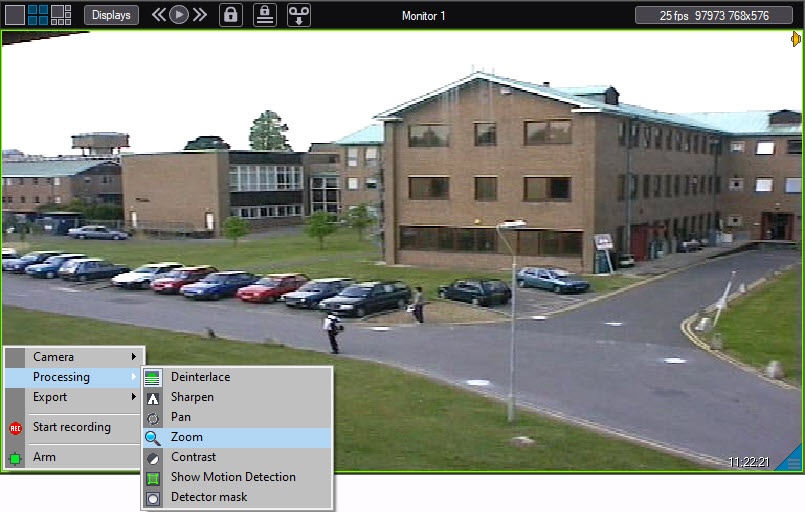
The Zoom feature allows you to change the scale of the video image.
The Zoom feature (original image):
The Zoom feature (the processed image):
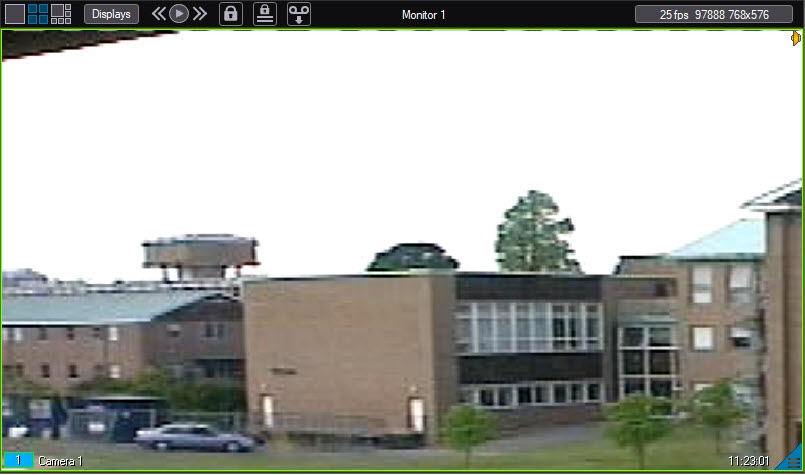
When you enable the Zoom option, the video image is zoomed in. You can then gradually zoom in or out by quickly left- or right-clicking the video image. To return to the original zoom level, left-click the Zoom item again or right-click the video image.
You can also zoom in or out by using the mouse wheel (see Video scaling in surveillance window).
The specified zoom ratio and zoom area of the video image are saved even after you restart Axxon PSIM.
Note
You cam lock the ability to scale and move the zoom area using the blocking registry key (for details, see Registry keys reference guide).
Note
If you specified the lens type while configuring the camera, then the Enable fisheye feature (instead of the Zoom feature) is available (see Enable fisheye).
Overview
Content Tools