
Go to documentation repository

Documentation for Axxon PSIM 2.0. Documentation for other versions of Axxon PSIM is available too.
Previous page Next page

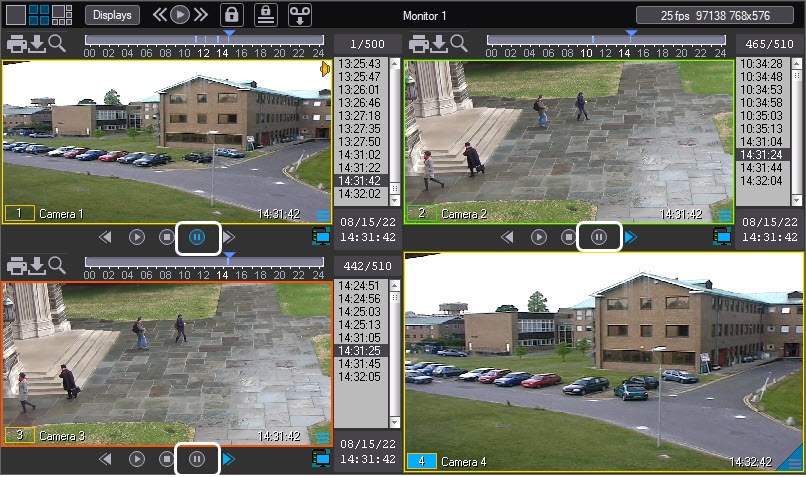
Axxon PSIM allows you to synchronously play back several archived videos in one video surveillance monitor. The number of archived videos played back simultaneously is only limited by the hardware capacity.
Note
Synchronous playback of videos is affected by the read rate of the disks on which the video archive is stored. If reading speed is slow, then playback problems can occur.
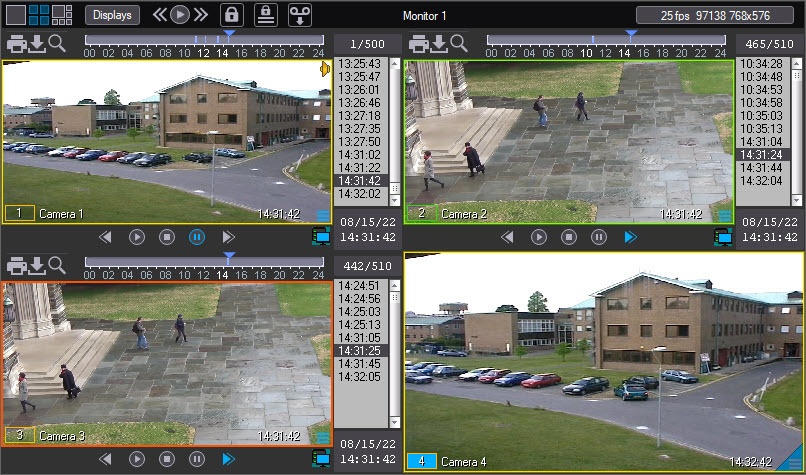
To use synchronous playback, display the required surveillance windows on the video surveillance monitor and switch them to the archive playback mode.
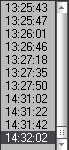
Set recordings in the surveillance windows to the required positions, using, for example, the timestamp column.
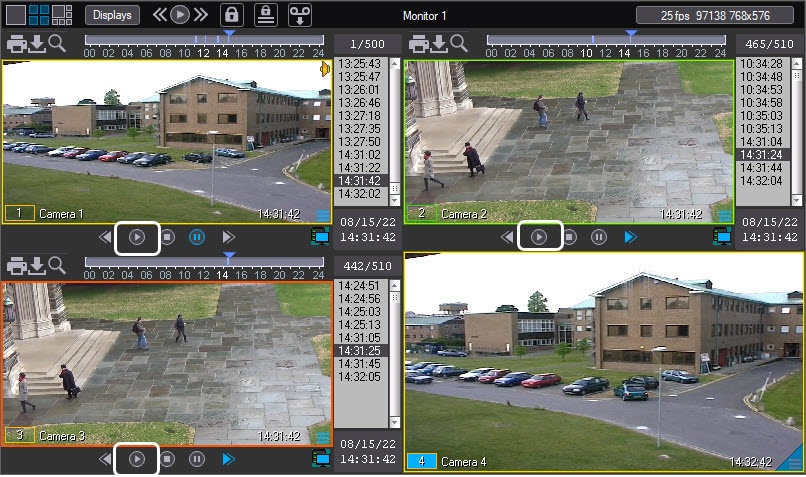
After this, when you control video playback in the active surveillance window, you will synchronously control the playback in other surveillance windows.
Note
During synchronous playback, if there is no archive video from the camera for the selected period of time, the image is dimmed and the “No archive” icon is displayed on top.
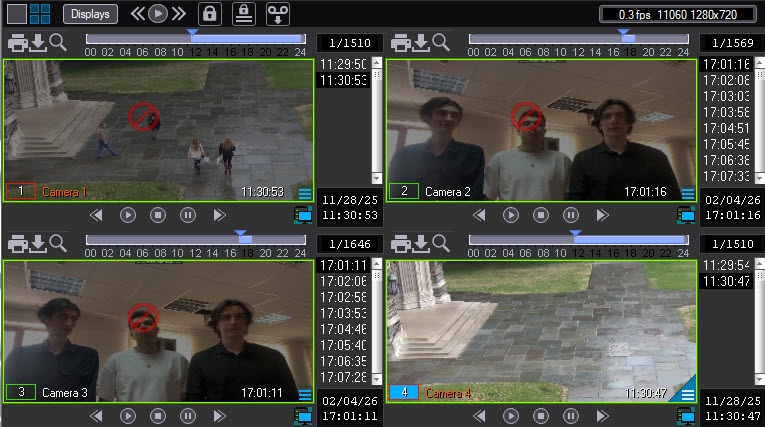
To remove automatic dimming and the “No archive” icon, set the parameter ShowEmptyArchiveState=0 in the registry HKEY_LOCAL_MACHINE\SOFTWARE\AxxonSoft\PSIM\Video (see Registry keys reference guide).
Synchronous playback of videos (playback is on):
Synchronous playback of videos (playback is paused):
Note
When you synchronously play back the archive of several cameras, only the key frames are included in playback in the following cases:
- Forward playback with 4x or greater speedup.
- Backward playback with 8x or greater speedup.
Overview
Content Tools