
Go to documentation repository

Documentation for Axxon PSIM 2.0. Documentation for other versions of Axxon PSIM is available too.
Previous page Next page

On the page:
Grouping options
Event grouping sets the event groups according to the specified parameters in the table with the list of events. Possible grouping options are set in the Configuring event grouping in incident manager:
- disabled—grouping is disabled, all events are displayed in the list.
- region—events are grouped by region.
- event—events are grouped by event type.
- object—events are grouped by object.
The Object name column contains the grouping parameter and the number of events in the group (in brackets). The Time(s) column shows the time in seconds until the countdown timer expires. In this case, the last generated event with a timer is taken into account for the group.
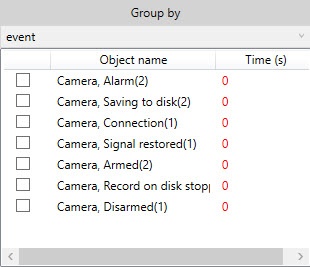
View events in a group
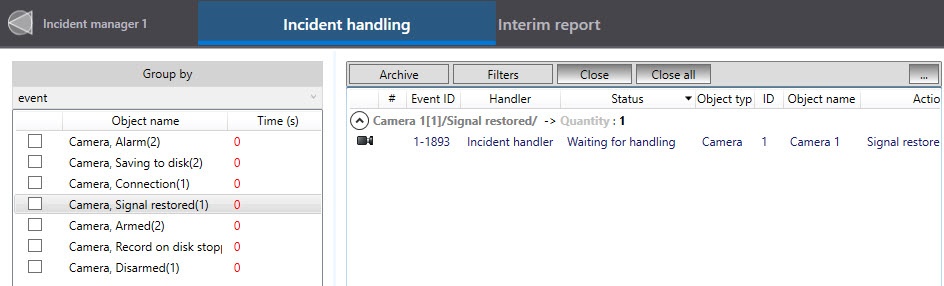
To view the events of an object, you must either click its name (only for one object) or select it from the Group by table by setting the checkbox (for several objects).
Events or subgroups of events of this group are displayed in the table with the list of events:
Group color
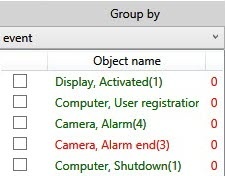
If the settings allow for handling the events of the entire group at once, then the group names change their color depending on the status of the events in the group:
- Green, if events in the group are pending, being handled, escalated, or suspended by the current operator.
- Red, if the events in the group are being handled or suspended by another operator and also if another operator handled the events in the group.
- Black, if there are no operators in the system (not a single user is registered in Axxon PSIM).
Note
Specific cases of color highlighting of group names:
- If the current operator handles an event from the “red” group, then after they complete the first step of event handling, the group turns "green" for them.
- If different operators handle different events of the same group, then the group is "red" for both operators.
If operators use different grouping options, then after one of the operators completes the first step of event handling, all groups for both operators are "red."
Example: operator 1 uses grouping by objects (cameras), and operator 2 uses grouping by events. Events are generated by cameras. Operator 2 handles an alarm event of any camera. The group turns "green" for operator 2. For operator 1, all groups turn "red" because operator 2 handled an alarm event of all cameras. Because of this, for operator 2, all groups also turn "red."
Group sorting
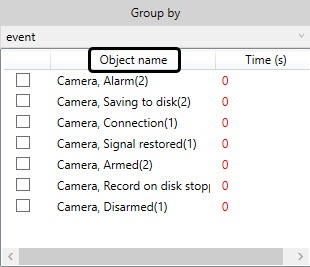
To sort the groups alphabetically, click the Object name field:
Overview
Content Tools