
Go to documentation repository

Documentation for Axxon PSIM 2.0. Documentation for other versions of Axxon PSIM is available too.
Previous page Next page

The macro determines how a particular object responds to events that occurred in the system. The macro icon on the map is shown in the figure.
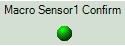
You can use macros to work with regions. Cameras, microphones, sensors, and relays can be grouped with the help of these objects, and the system responds to the events that occurred with them.
Each macro has a function menu that provides access to the execution of the given macro and displays the data about the macro.
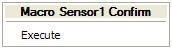
The function menu contains the name of the macro and the Execute item used to run the macro.
To execute the macro, right-click the icon of the corresponding macro and select Execute.
Overview
Content Tools