
Go to documentation repository

Documentation for Axxon PSIM 2.0. Documentation for other versions of Axxon PSIM is available too.
Previous page Next page

The external map server corresponds to the source from which the Axxon PSIM map layer receives images for the layer background.
To configure the external map server, do the following:
- Create the Map server object (1) on the basis of the Computer object on the Hardware tab of the System settings dialog window.
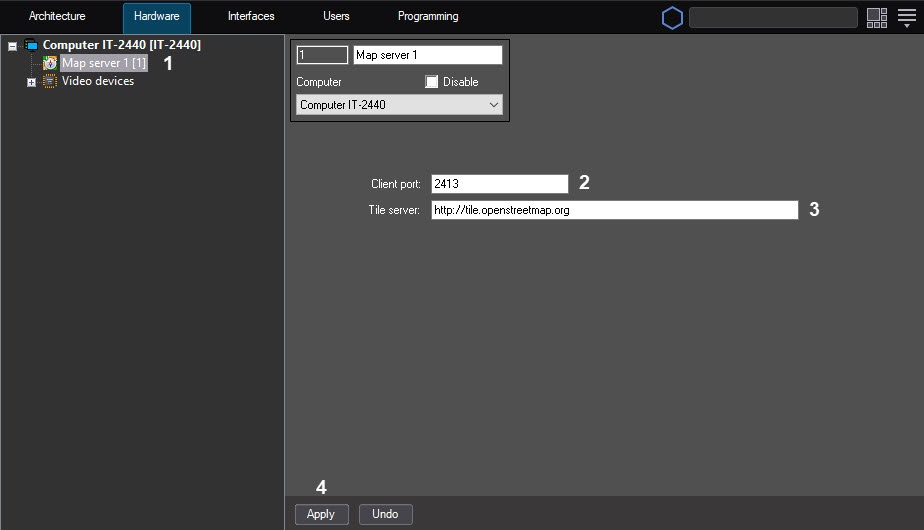
- In the Client port field (2), enter the port value. By default, the port value is 2413.
- In the Tile server field (3), enter a link to the external map. By default, a link to the OpenStreetMap free map is set http://tile.openstreetmap.org.
- Click the Apply button (4).
When you create a layer, select the map server as the background, see Creating the layers of the interactive map.
Configuring the external map server is complete.
Overview
Content Tools