
Go to documentation repository

Documentation for Axxon PSIM 2.0. Documentation for other versions of Axxon PSIM is available too.
Previous page Next page

To create the Operator protocol object, do the following:
- Select the Interfaces tab in the System settings window.
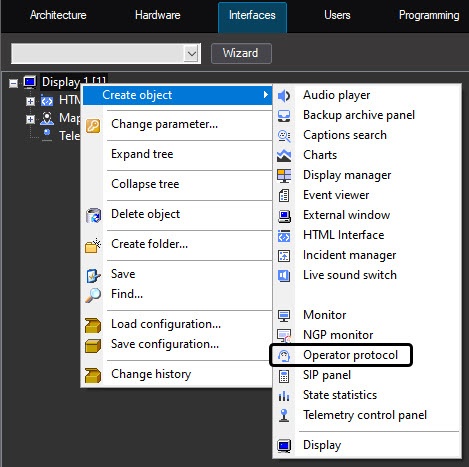
- In the context menu of the Display object based on which you want to create the object, select the Operator protocol item in the Create object submenu.
- Set the number and name of the created object.
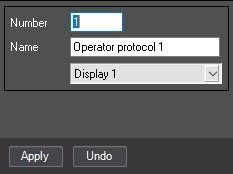
- Click the Apply button to create the object.
As a result, the settings panel for the Operator protocol object is displayed.
Overview
Content Tools