
Go to documentation repository

Documentation for Axxon PSIM 2.0. Documentation for other versions of Axxon PSIM is available too.
Previous page Next page

On the page:
Example 1.
Let's consider two micro commands that work together and allow recording a video within the time schedule.
Set the values of events and actions on the settings panel of the Macro objects in the same way as specified in the table.
№ | Event | Action |
1 | Time schedule 1 start (The settings panel of the Macro 1 object, 1) | Start recording from Camera 1 (The settings panel of the Macro 1 object, 2) |
2 | Time schedule 1 end (The settings panel of the Macro 2 object, 1) | Stop recording from Camera 1 (The settings panel of the Macro 2 object, 2) |
Macro 1: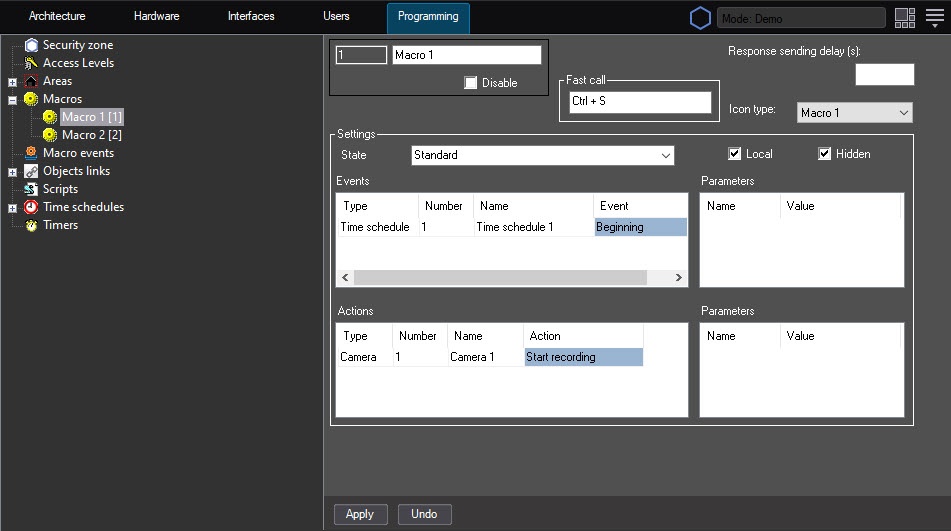
Macro 2:
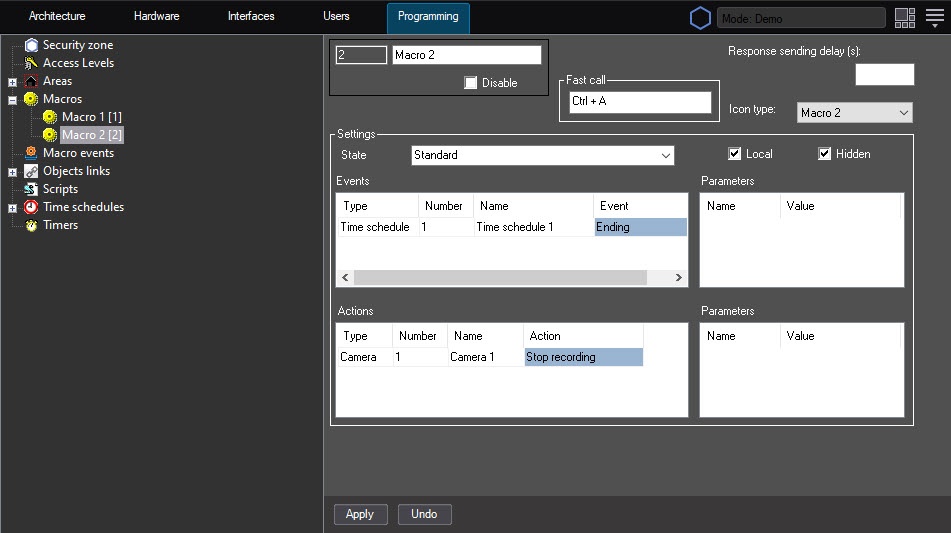
Example 2.
Time schedules are used in the Backup archive settings. Let's consider an example when you need to configure the video archive recording by a camera at a specific time.
To configure the Backup archive object, do the following:
- Open the Hardware tab (1).
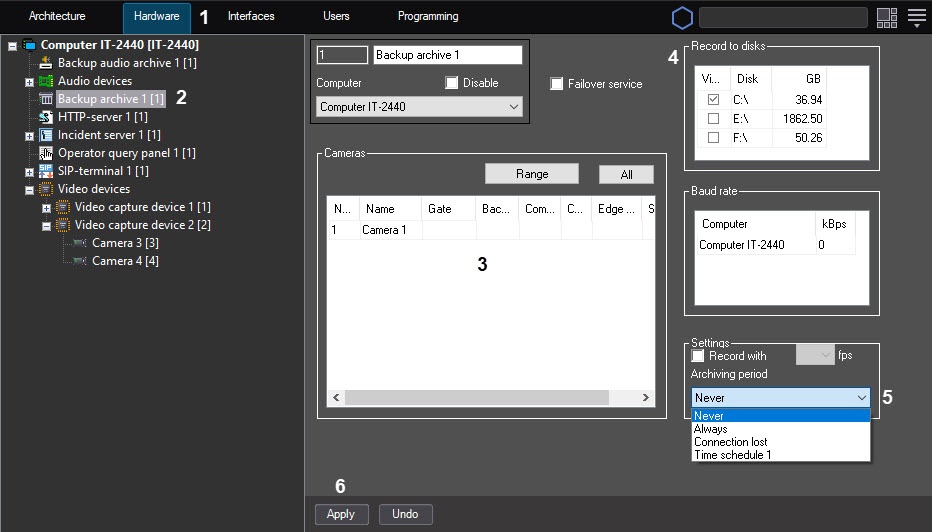
- Select the Backup archive object (2).
- Select the disk on which the video archive is recorded (3).
- Specify the camera from which the video archive is recorded (4).
- Select the Time schedule 1 value from the list of the Archiving period parameter (5).
- Click the Apply button (6).
Overview
Content Tools