
Go to documentation repository

Documentation for Axxon PSIM 2.0. Documentation for other versions of Axxon PSIM is available too.
Previous page Next page

The system is based on the tree-like structure of the objects' arrangement (objects tree). The objects tree is a multi-level nested list of objects.
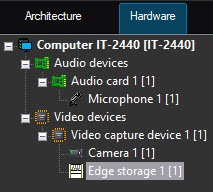
The object's structure is hierarchical. The low-order (child) object can only be created on the basis of the higher-order (parent) object. The objects in the tree are sorted by name in the following order: Cyrillic characters, spaces, characters, digits, Latin characters. If you create folders in the objects tree (see The Create folder function), then all of them are placed in the tree above the objects at the corresponding hierarchy level and are sorted in the same order.
The objects tree can be expanded. You can open and view the contents of all its groups (branches), collapse it, hiding the objects that aren't required for surveillance at this moment.
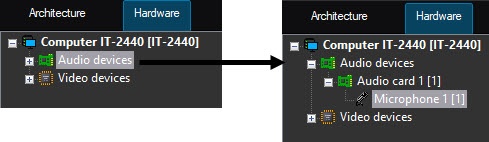
To get to the lower level and see the list of the child objects, click the left mouse button and hover the mouse cursor over the + icon located to the left of the parent object.
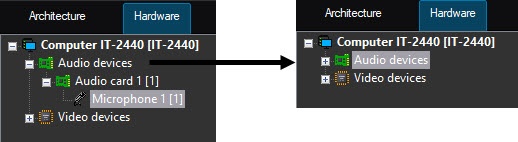
To collapse the branch of the objects tree containing the child objects, click the left mouse button and hover the cursor over the - icon.
Overview
Content Tools