
Go to documentation repository

Documentation for Axxon PSIM 2.0. Documentation for other versions of Axxon PSIM is available too.
Previous page Next page

The create folder function is used to arrange the display of system objects in the objects tree when there are many objects of different types. The objects are grouped into folders arbitrarily. This function is available on all tabs of the System settings window except for the Architecture tab.
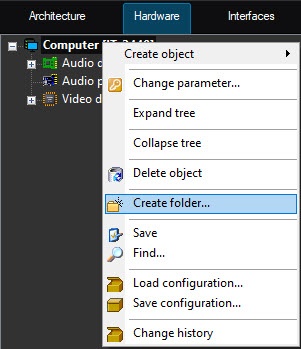
To create a folder, open the context menu of an object or a folder and select the Create folder item.
Note
You can create a folder on the basis of the object that has child objects or on the basis of another folder. For example, you can create a folder on the basis of the Computer or the Video capture device object, but you cannot create a folder on the basis of the Captioner or the Detection zone object.
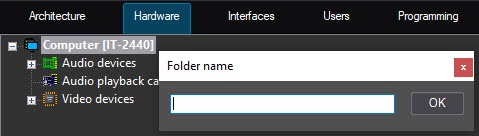
As a result, the Folder name dialog window for entering the folder name of the created folder is displayed on the computer monitor screen. After you enter the folder name in the specified dialog window, click the OK button.
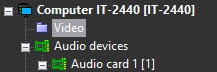
As a result, a folder is created in the objects tree on the basis of the selected object.
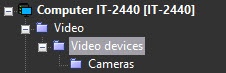
To create a folder nested in another folder, select the Create folder item in the function menu that opens by right-clicking the pre-created folder.
Overview
Content Tools