
Go to documentation repository

Documentation for Axxon PSIM 2.0. Documentation for other versions of Axxon PSIM is available too.
Previous page Next page

The interface of the System settings dialog window consists of the following elements:
- Main control panel.
- Tabs panel.
- Objects tree.
- Context menu.
- Object settings panel.
- Connection settings table.
- The Apply and Undo buttons.
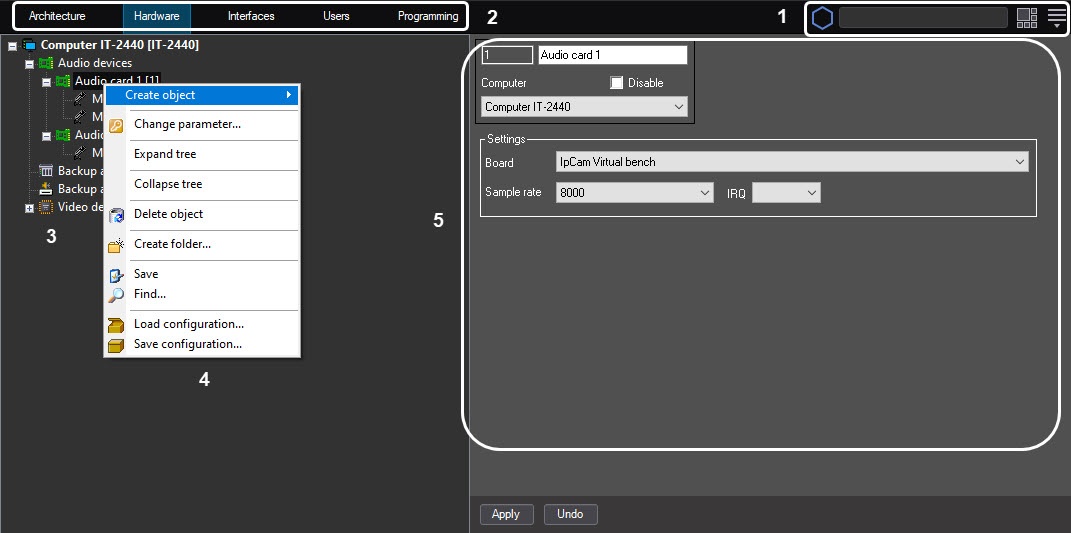
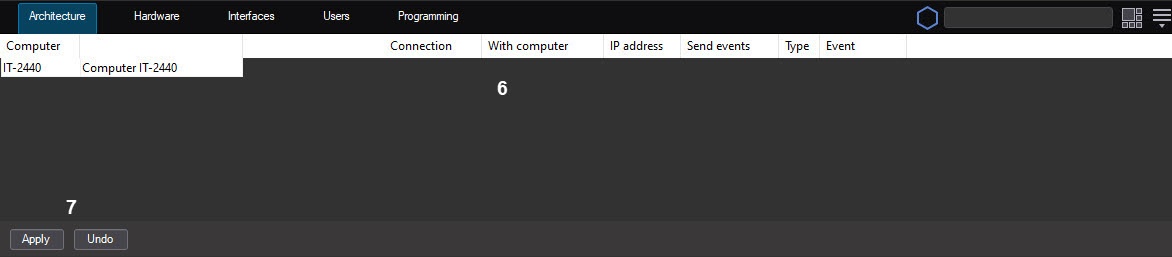
The System settings dialog window contains the following main tabs:
- Architecture;
- Hardware;
- Interfaces;
- Users;
- Programming.
These tabs are used during the process of creation and configuration of the digital video surveillance and audio control system.
Overview
Content Tools