
Go to documentation repository

Documentation for Axxon PSIM 2.0. Documentation for other versions of Axxon PSIM is available too.
Previous page Next page

Debug windows are used to display messages about the logging of system and trial events, errors, and successful script execution, as well as user information messages.
The separate debug window is assigned to each script in the Editor-Debugger utility.
There are two types of debug windows: All script messages and Last run script messages.
The debug windows of the All script messages type are displayed in the Script messages list. The names of debug windows match the names of the corresponding Script objects. These windows display all system messages related to the corresponding script. The example of the debug window of the All script messages type:
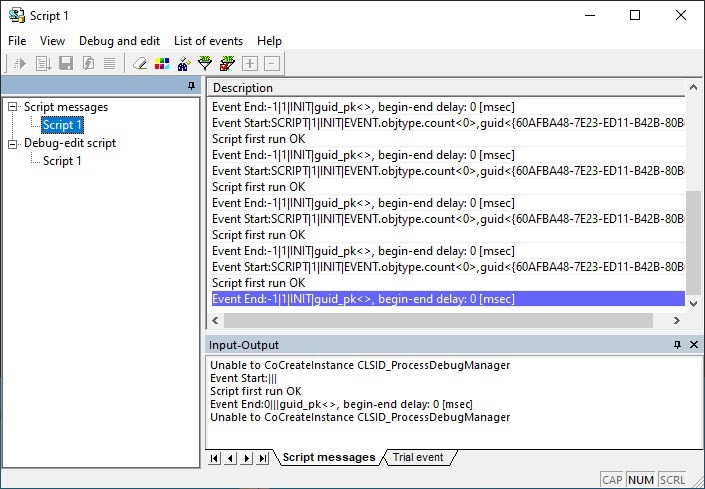
Besides, the information on the last script run is displayed on the Script messages tab at the bottom of the Editor-Debugger utility window. If this panel isn't displayed, select Debug and edit → Summary Information, or click the  button on the toolbar.
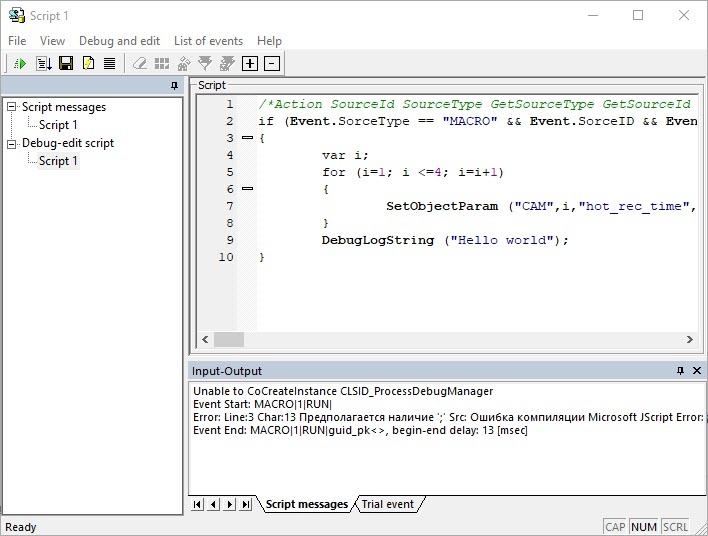
The same way of work is applied to all debug windows of any type.
Overview
Content Tools