
Go to documentation repository

Documentation for Axxon PSIM 2.0. Documentation for other versions of Axxon PSIM is available too.
Previous page Next page

To configure the client audio subsystem, do the following:
Note
For more information about how to configure the audio subsystem, see Audio subsystem configuration.
- On the server, go to the Hardware tab of the System settings dialog window.
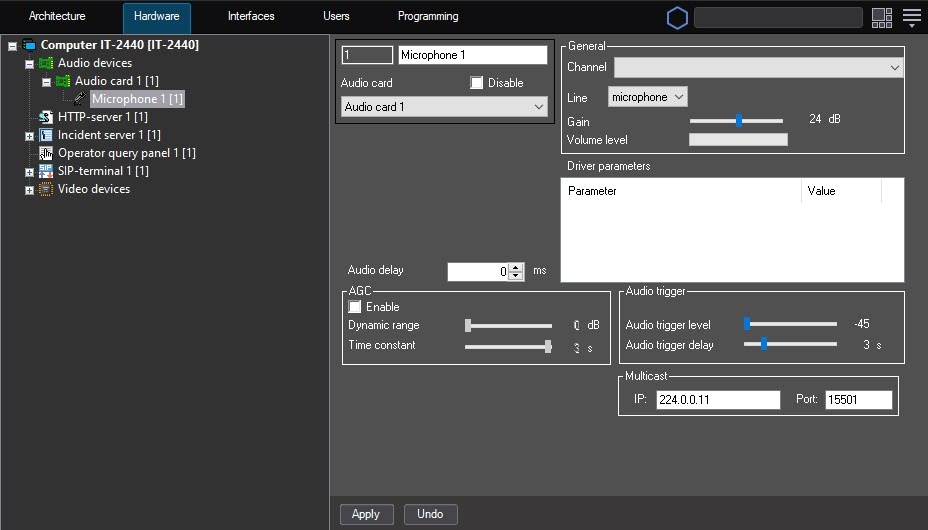
- In the objects tree of the Hardware tab, select the Computer object corresponding to the configured client.
- On the basis of this object, create and configure the Audio card object corresponding to the audio card installed on the client.
- On the basis of the Audio card object, create and configure the Microphone object corresponding to the client microphone, which is used during communication sessions with the SIP-device.
- Repeat steps 1-4 for all required clients.
Configuring the client audio subsystem is complete.
Overview
Content Tools