
Go to documentation repository

Documentation for Axxon PSIM 2.0. Documentation for other versions of Axxon PSIM is available too.
Previous page Next page

Before you start the idb.exe utility, you must shut down Axxon PSIM.
You can start the idb.exe utility by double-clicking from the Axxon PSIM installation directory. For example: C:\Program Files\Axxon PSIM\Tools64\idb.exe.
As a result, the idb.exe utility dialog window opens.
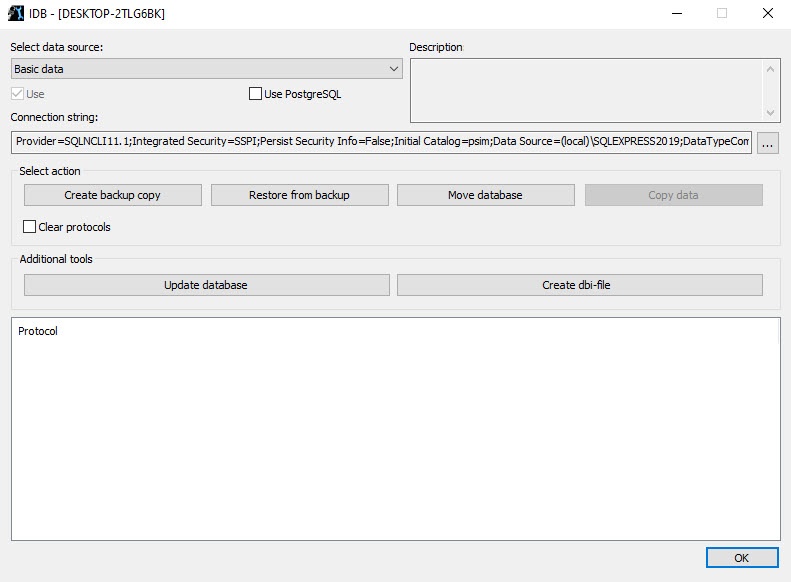
To confirm the changes and shut down the idb.exe utility, click the OK button. To shut down the idb.exe utility without saving the changes, click the  button.
Overview
Content Tools