
Go to documentation repository

Documentation for Axxon PSIM 2.0. Documentation for other versions of Axxon PSIM is available too.
Previous page Next page

To start the idb.exe utility with keys, click Start → Run. In the window that opens, enter the path to the idb.exe utility (C:\Program Files\Axxon PSIM\Tools64\idb.exe by default) and the required key after the / character.
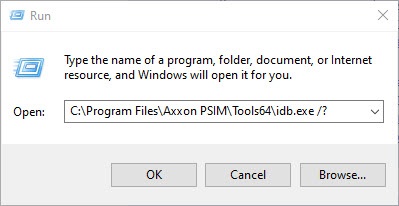
To display keys supported by the utility, use the "idb.exe /?" command.
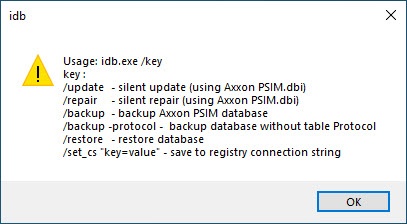
The idb.exe utility supports the startup with the following keys:
- /update—the key to running the hidden database update (uses the psim.dbi file).
- /sync—the key to the database synchronization with the data source.
- /backup—the key to running the process of creating the backup copy of the Axxon PSIM database. To exclude the event viewer database from the backup copy, use the -protocol parameter (that is, the full command looks like this: /backup -protocol).
The backup copy is created at the address C:\Users\user\Documents\Axxon PSIM. It is used when the idb.exe utility is connected to the MS SQL database. - /restore—the key to running the database recovery from the previously created backup copy. It is used when the idb.exe utility is connected to the MS SQL database.
- /set_cs "key=value"—the key is saved in the system registry of the connection string (summary information on connection parameters to the database).
Overview
Content Tools